Chart position — tracked daily by LaunchShots
Screenshot changes — detected by LaunchShots
Screenshot style breakdown
Sampled from 4 of Bukalapak - Jual Beli Online's App Store screenshots — background, accent and theme, measured by LaunchShots (not something Apple publishes).
#CC1444 bg
#D3345E
#046CB4 accent
#FFFFFF text
Screenshots

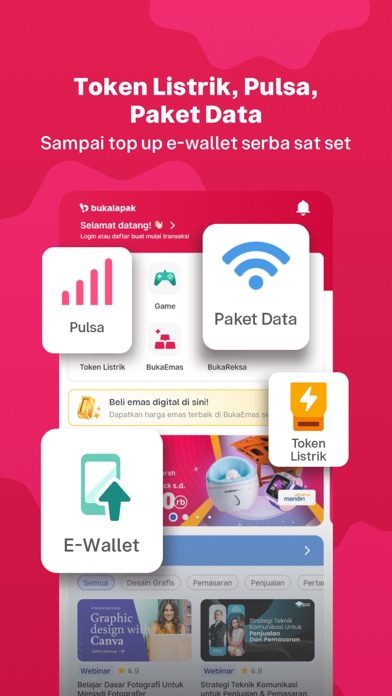

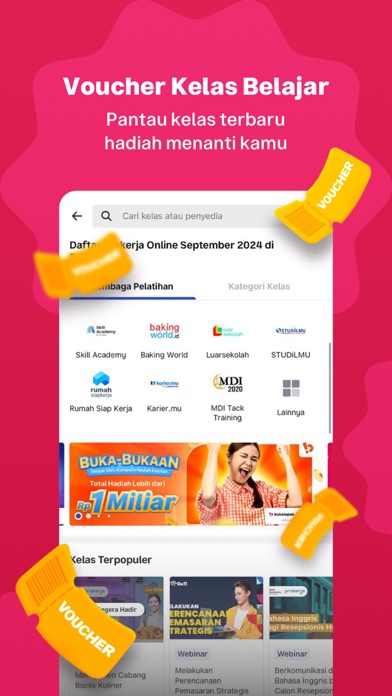
iPad screenshots


Icon palette
About this app
"Bukalapak Aplikasi belanja produk virtual untukmu! Di Bukalapak kamu bisa belanja produk virtual mulai dari pulsa, paket data hingga kelas belajar seperti Prakerja dan Edukarier! Gak cuma itu, ada banyak keuntungan lain yang bisa kamu dapetin di Bukalapak! Gampang digunakan Tampilan aplikasi Bukalapak bikin belanja jadi mudah, cepat dan seru! Beragam Fitur Menarik Nikmati beragam fitur menarik yang bikin pengalaman belanja di Bukalapak jadi makin nyaman. Pilihan Barang Berkualitas Gak perlu kuatir, karena semua barang sudah terjamin kualitasnya. Produk Virtual Kamu bisa beli Pulsa, Paket Data, Token Listrik hingga Top Up dompet digital kamu di sini! Game Kamu bisa top up saldo game kamu di Bukalapak dengan beragam pilihan Kelas keterampilan Prakerja & Edukarier hadir di Bukalapak untuk kamu yang ingin mengembangkan kemampuanmu untuk semakin siap menghadapi dunia kerja! Jadi, tu…
App details
What you can learn from Bukalapak - Jual Beli Online
Every shipping app on the App Store has gone through the same decisions you're working through right now: which screenshot goes first, what caption sits over it, which device frame to show, what color the background should be. The 8 screenshots above are Bukalapak - Jual Beli Online's answers to those questions — they're public, they're real, and they made it through Apple's review.
What the numbers say: Bukalapak - Jual Beli Online runs a dark set with one background colour (#CC1444) carried across every screenshot — the listing reads as a single poster when the shots sit side by side in search results. The accent colour we picked up, #046CB4, is the one to reuse for badges, arrows and highlighted words if you borrow this look. Hit Use this style to open the editor with these exact colours and drop your own screenshot in.
Notice the first screenshot in particular. It's the one users see in search results and on the product page, and it's where most apps spend their best caption and tightest design. Look at the proportion of background to phone, where the text sits, what one thing the image is trying to communicate.
Want to see how other Shopping apps approach the same problem? Browse more Shopping apps in the showcase.
Take what works into your own screenshots
Open LaunchShots and design your App Store & Google Play screenshots — pick a device frame, drop captions, ship in minutes. Free, in your browser.
Open the screenshot editor →Apps with a similar look
Closest background + accent colours among the listings we've analysed — useful when you want to see the same palette handled by a different team.