Chart position — tracked daily by LaunchShots
Screenshot style breakdown
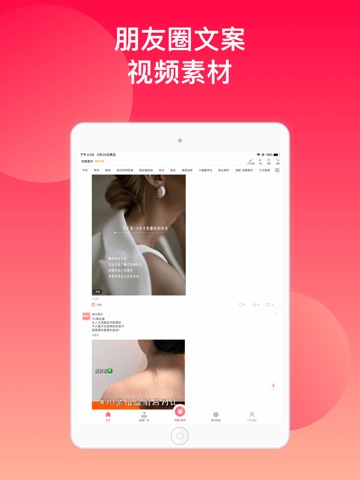
Sampled from 6 of 微脉水印相机,私域、微商必备运营工具's App Store screenshots — background, accent and theme, measured by LaunchShots (not something Apple publishes).
#FC0C44 bg
#FC2E5E
#FC8484 accent
#FFFFFF text
Screenshots


iPad screenshots




Icon palette
About this app
微脉水印相机——原名 微商水印相机,上线于2015年,超过10年服务私域生态,用户规模过亿,完全口碑传播,无付费推广。主打朋友圈内容创作和私域团队管理,是当之无愧的私域运营领域专家,叠加AI生图能力,一站式搞定私域传播与内容创作! 2026年,推出AI+海报模板,免费体验AI生图,强化作图能力!穿越从微商到私域的周期! 核心亮点: 私域专属,销冠必备:批量水印100张、团队素材一键下发、快速发到朋友圈,提升社群运营效率。 AI生图、做同款,智能抠图、DIY画布自由设计,轻松生成个性化海报。 海量模板:数十万个海报/视频模板,覆盖多行业分类,素材转发随手可用。全链路编辑:画笔、马赛克、箭头、圈框、全屏水印; 视频加水印/拼接/剪辑/轮播;拼图拼视频(图片+视频混拼)。 主要功能特色: 1.批量水印:支持live实况编辑,可以一次选择最多100张图片,批量添加水印。支持在线模板,相册上传水印。支持添加文字水印、标签、贴纸、圈框画笔、突显效果、滤镜、剪裁,以及对上传的照片进行自由裁切和抠图、正片叠底、加阴影等处理! 2.海报模板+发圈28晒:不…
App details
What you can learn from 微脉水印相机,私域、微商必备运营工具
Every shipping app on the App Store has gone through the same decisions you're working through right now: which screenshot goes first, what caption sits over it, which device frame to show, what color the background should be. The 12 screenshots above are 微脉水印相机,私域、微商必备运营工具's answers to those questions — they're public, they're real, and they made it through Apple's review.
What the numbers say: 微脉水印相机,私域、微商必备运营工具 runs a mixed light-and-dark set where the background shifts from screenshot to screenshot (first shot #FC0C44) — each image has to stand on its own, so the captions carry more of the story. The accent colour we picked up, #FC8484, is the one to reuse for badges, arrows and highlighted words if you borrow this look. Hit Use this style to open the editor with these exact colours and drop your own screenshot in.
Notice the first screenshot in particular. It's the one users see in search results and on the product page, and it's where most apps spend their best caption and tightest design. Look at the proportion of background to phone, where the text sits, what one thing the image is trying to communicate.
Want to see how other Photo & Video apps approach the same problem? Browse more Photo & Video apps in the showcase.
Take what works into your own screenshots
Open LaunchShots and design your App Store & Google Play screenshots — pick a device frame, drop captions, ship in minutes. Free, in your browser.
Open the screenshot editor →Apps with a similar look
Closest background + accent colours among the listings we've analysed — useful when you want to see the same palette handled by a different team.