Chart position — tracked daily by LaunchShots
Screenshot style breakdown
Sampled from 5 of Pay4Vend's App Store screenshots — background, accent and theme, measured by LaunchShots (not something Apple publishes).
#1CE4FC bg
#18C8DD
#1C74F4 accent
#111111 text
Screenshots

Icon palette
About this app
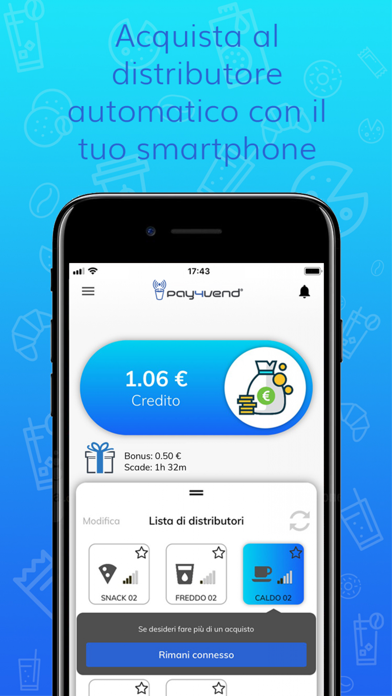
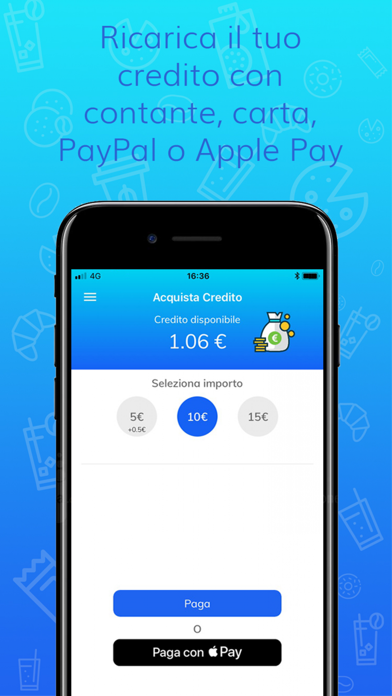
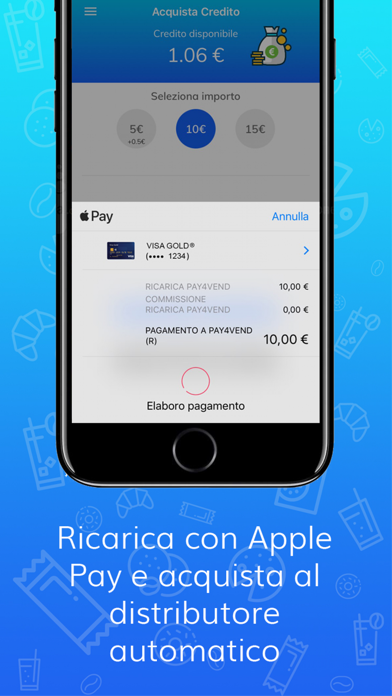
Pay4Vend è un’applicazione per l’acquisto di prodotti da distributore automatico abilitato, senza alcun sovrapprezzo per l’utente. Stanco di frugare nelle tasche alla ricerca di monete ogni volta che vuoi prendere un caffè al distributore? Ti è mai successo di dover rinunciare ad un rapido spuntino per mancanza di spiccioli? Hai già la soluzione in tasca! Utilizza lo smartphone che porti sempre con te e trasforma il tuo coffee break in uno smart break con Pay4Vend. • Il funzionamento è estremamente semplice: apri l'app, seleziona il distributore automatico tra quelli a portata di telefono e compra il prodotto che desideri. Caffè, bevande, snack… Scegli quello che preferisci! • Pay4Vend utilizza un credito dedicato per gli acquisti al distributore automatico, memorizzato all’interno dell’applicazione. Effettua la ricarica inserendo monete o banconote direttamente dal distributore auto…
App details
What you can learn from Pay4Vend
Every shipping app on the App Store has gone through the same decisions you're working through right now: which screenshot goes first, what caption sits over it, which device frame to show, what color the background should be. The 5 screenshots above are Pay4Vend's answers to those questions — they're public, they're real, and they made it through Apple's review.
What the numbers say: Pay4Vend runs a mixed light-and-dark set where the background shifts from screenshot to screenshot (first shot #1CE4FC) — each image has to stand on its own, so the captions carry more of the story. The accent colour we picked up, #1C74F4, is the one to reuse for badges, arrows and highlighted words if you borrow this look. Hit Use this style to open the editor with these exact colours and drop your own screenshot in.
Notice the first screenshot in particular. It's the one users see in search results and on the product page, and it's where most apps spend their best caption and tightest design. Look at the proportion of background to phone, where the text sits, what one thing the image is trying to communicate.
Want to see how other Food & Drink apps approach the same problem? Browse more Food & Drink apps in the showcase.
Take what works into your own screenshots
Open LaunchShots and design your App Store & Google Play screenshots — pick a device frame, drop captions, ship in minutes. Free, in your browser.
Open the screenshot editor →Apps with a similar look
Closest background + accent colours among the listings we've analysed — useful when you want to see the same palette handled by a different team.