Chart position — tracked daily by LaunchShots
Screenshot style breakdown
Sampled from 6 of auでんき 電気が見える!電気の使いすぎもお知らせ!'s App Store screenshots — background, accent and theme, measured by LaunchShots (not something Apple publishes).
#FCFCFC bg
#DDDDDD
#FCAC04 accent
#111111 text
Screenshots

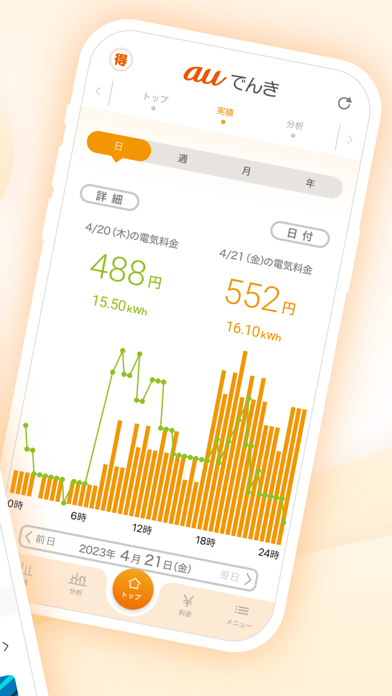


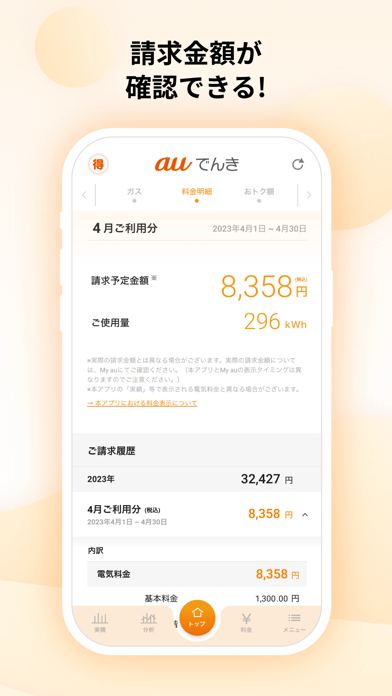
iPad screenshots


Icon palette
About this app
auでんきアプリは、毎日の電気料金をいつでもチェックできて節電をサポートしてくれます。 電気料金が5,000円を超えるごとにプッシュ通知が届いて、料金把握や使いすぎ防止にも便利です! もちろん請求金額と明細もアプリでチェックできます。 電気料金に応じて回せるガチャでPontaポイントもおトクにGET! 【主な機能】 ■日々の電気料金・使用量を見える化 前日までの電気料金や30分単位の電気使用量を確認できます。 あなたの電気の使い方がわかり、節電にも役立ちます。 ■auでんきガチャ 電気料金1,000円ごとにガチャが回せて必ずPontaポイントが当たります。 ■月末の電気料金予測 今月の電気料金予測を毎日確認できます。 月末の電気料金がいくらになりそうか不安なときに便利です。 ※予測は過去1年間のあなたの電気料金とお住まいの地域の気温データを基に算出しています。 ■プッシュ通知で電気の使いすぎをお知らせ 電気料金が5,000円を超えるごとにプッシュ通知が届くので、電気の使いすぎを防げます。 ※お知らせは30,000円までとなります。 ■請求…
App details
What you can learn from auでんき 電気が見える!電気の使いすぎもお知らせ!
Every shipping app on the App Store has gone through the same decisions you're working through right now: which screenshot goes first, what caption sits over it, which device frame to show, what color the background should be. The 9 screenshots above are auでんき 電気が見える!電気の使いすぎもお知らせ!'s answers to those questions — they're public, they're real, and they made it through Apple's review.
What the numbers say: auでんき 電気が見える!電気の使いすぎもお知らせ! runs a light set with one background colour (#FCFCFC) carried across every screenshot — the listing reads as a single poster when the shots sit side by side in search results. The accent colour we picked up, #FCAC04, is the one to reuse for badges, arrows and highlighted words if you borrow this look. Hit Use this style to open the editor with these exact colours and drop your own screenshot in.
Notice the first screenshot in particular. It's the one users see in search results and on the product page, and it's where most apps spend their best caption and tightest design. Look at the proportion of background to phone, where the text sits, what one thing the image is trying to communicate.
Want to see how other Utilities apps approach the same problem? Browse more Utilities apps in the showcase.
Take what works into your own screenshots
Open LaunchShots and design your App Store & Google Play screenshots — pick a device frame, drop captions, ship in minutes. Free, in your browser.
Open the screenshot editor →Apps with a similar look
Closest background + accent colours among the listings we've analysed — useful when you want to see the same palette handled by a different team.