Chart position — tracked daily by LaunchShots
Screenshot changes — detected by LaunchShots
Screenshot style breakdown
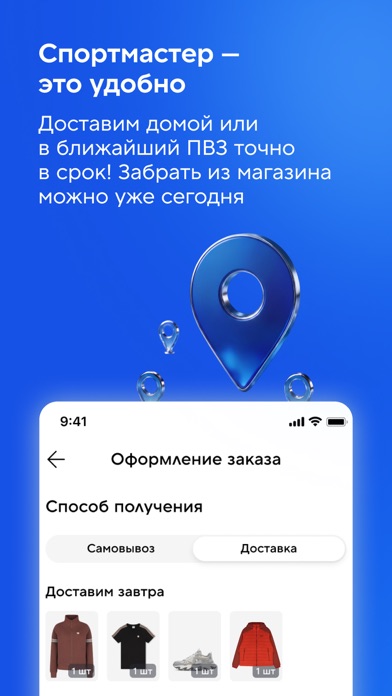
Sampled from 6 of Спортмастер: интернет-магазин's App Store screenshots — background, accent and theme, measured by LaunchShots (not something Apple publishes).
#1454E4 bg
#346BE7
#7CACFC accent
#FFFFFF text
Screenshots



Icon palette
About this app
Спортмастер — магазин с большим выбором товаров для спорта и активного отдыха в вашем смартфоне. Мы делаем спорт доступным каждому! ЛИЧНЫЙ КАБИНЕТ Проверяйте баланс Клубной карты и отслеживайте заказы в личном кабинете. Выберите любимый вид спорта, чтобы получать повышенный кешбэк уже в следующем месяце. БЫСТРЫЙ ПОИСК Умная система фильтров поможет найти нужный товар по заданным параметрам. В наших магазинах информацию о конкретном товаре можно узнать с помощью сканера штрихкодов. СПИСОК ЖЕЛАНИЙ Добавляйте понравившиеся товары в избранное, коснувшись сердечка на фото. Чтобы сделать оптимальный выбор, воспользуйтесь функцией сравнения товаров. РЕКОМЕНДАЦИИ Созданием персональных подборок занимается искусственный интеллект, поэтому в них будет только то, что вам интересно. Хотите заказать стильные кроссовки для спортзала? Интересуетесь заказом одежды для детей? В вашей подборке …
App details
What you can learn from Спортмастер: интернет-магазин
Every shipping app on the App Store has gone through the same decisions you're working through right now: which screenshot goes first, what caption sits over it, which device frame to show, what color the background should be. The 8 screenshots above are Спортмастер: интернет-магазин's answers to those questions — they're public, they're real, and they made it through Apple's review.
What the numbers say: Спортмастер: интернет-магазин runs a dark set with one background colour (#1454E4) carried across every screenshot — the listing reads as a single poster when the shots sit side by side in search results. The accent colour we picked up, #7CACFC, is the one to reuse for badges, arrows and highlighted words if you borrow this look. Hit Use this style to open the editor with these exact colours and drop your own screenshot in.
Notice the first screenshot in particular. It's the one users see in search results and on the product page, and it's where most apps spend their best caption and tightest design. Look at the proportion of background to phone, where the text sits, what one thing the image is trying to communicate.
Want to see how other Shopping apps approach the same problem? Browse more Shopping apps in the showcase.
Take what works into your own screenshots
Open LaunchShots and design your App Store & Google Play screenshots — pick a device frame, drop captions, ship in minutes. Free, in your browser.
Open the screenshot editor →Apps with a similar look
Closest background + accent colours among the listings we've analysed — useful when you want to see the same palette handled by a different team.