Chart position — tracked daily by LaunchShots
Screenshot changes — detected by LaunchShots
Screenshot style breakdown
Sampled from 6 of マンガUP!'s App Store screenshots — background, accent and theme, measured by LaunchShots (not something Apple publishes).
#FCFCFC bg
#DDDDDD
#EC3434 accent
#111111 text
Screenshots
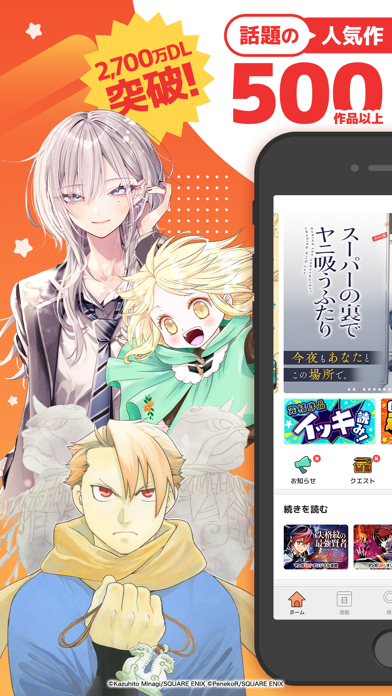


iPad screenshots


Icon palette
About this app
マンガUP!は、スクウェア・エニックスが贈る公式マンガアプリ! 『灰宮先輩は怖くてかわいい』『黄泉のツガイ』『玉川さん出てました?』『ダンジョンに閉じ込められて25年』『あなたのお城の小人さん』『スーパーの裏でヤニ吸うふたり』など、オリジナル作品や、人気マンガを毎日更新!毎日無料でどんどん読める! 異世界・バトル・恋愛・ラブコメ・ホラーまで、ジャンルも超充実。 スキマ時間にサクッとも良し!休日はイッキ読みも良し! マンガUP!で「次にハマる1作」がきっと見つかる。 ■オリジナル作品が熱い!人気マンガが続々登場!■ ・転生賢者の異世界ライフ~第二の職業を得て、世界最強になりました~ ・あなたのお城の小人さん ~御飯下さい、働きますっ~ ・ベル・プペーのスパダリ婚約~「好みじゃない」と言われた人形姫、我慢をやめたら皇子がデレデレになった。実に愛い!~ ・凶乱令嬢ニア・リストン 病弱令嬢に転生した神殺しの武人の華麗なる無双録 ・灰宮先輩は怖くてかわいい ・貴族転生 ~恵まれた生まれから最強の力を得る~ ・社畜剣…
App details
What you can learn from マンガUP!
Every shipping app on the App Store has gone through the same decisions you're working through right now: which screenshot goes first, what caption sits over it, which device frame to show, what color the background should be. The 18 screenshots above are マンガUP!'s answers to those questions — they're public, they're real, and they made it through Apple's review.
What the numbers say: マンガUP! runs a light set with one background colour (#FCFCFC) carried across every screenshot — the listing reads as a single poster when the shots sit side by side in search results. The accent colour we picked up, #EC3434, is the one to reuse for badges, arrows and highlighted words if you borrow this look. Hit Use this style to open the editor with these exact colours and drop your own screenshot in.
Notice the first screenshot in particular. It's the one users see in search results and on the product page, and it's where most apps spend their best caption and tightest design. Look at the proportion of background to phone, where the text sits, what one thing the image is trying to communicate.
Want to see how other Book apps approach the same problem? Browse more Book apps in the showcase.
Take what works into your own screenshots
Open LaunchShots and design your App Store & Google Play screenshots — pick a device frame, drop captions, ship in minutes. Free, in your browser.
Open the screenshot editor →Apps with a similar look
Closest background + accent colours among the listings we've analysed — useful when you want to see the same palette handled by a different team.