Chart position — tracked daily by LaunchShots
Screenshot changes — detected by LaunchShots
Screenshot style breakdown
Sampled from 6 of Флаувау: цветы, подарки, торты's App Store screenshots — background, accent and theme, measured by LaunchShots (not something Apple publishes).
#FC7C8C bg
#DD6D7B
#B4342C accent
#111111 text
Screenshots
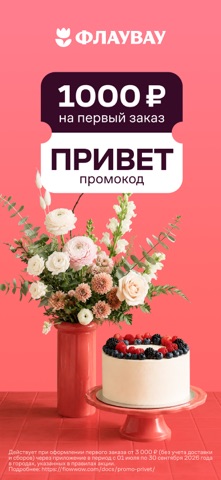


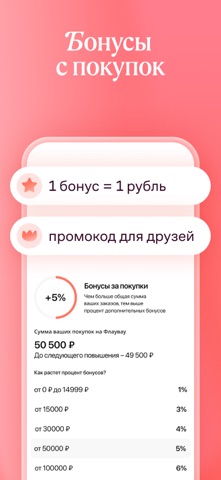
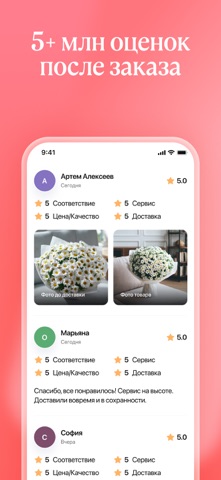

Icon palette
About this app
Флаувау — онлайн-маркетплейс, объединяющий продавцов и покупателей более чем в 1 300 городах России и мира. Здесь заказывают свежие сезонные цветы, вкусные десерты, подарки на любой случай. С помощью сервиса легко радовать близких людей, живущих в других городах и странах, находясь за тысячи километров. Наши преимущества: • Широкий выбор: ассортимент множества локальных магазинов в одном приложении. • Гарантия соответствия: перед доставкой вам присылают на одобрение фото готового заказа. • Удобная доставка: можно заказать подарок из магазина, ближайшего к адресу получателя, как можно скорее или к конкретному времени. Топ-5 популярных категорий товаров: • Цветы и подарки: сезонные букеты, авторские композиции, сувениры, мягкие игрушки. • Кондитерские и пекарни: праздничные торты, бенто-торты, капкейки, шоколад ручной работы. • Живые растения: цветы в горшках, флорариумы, бонсаи. …
App details
What you can learn from Флаувау: цветы, подарки, торты
Every shipping app on the App Store has gone through the same decisions you're working through right now: which screenshot goes first, what caption sits over it, which device frame to show, what color the background should be. The 8 screenshots above are Флаувау: цветы, подарки, торты's answers to those questions — they're public, they're real, and they made it through Apple's review.
What the numbers say: Флаувау: цветы, подарки, торты runs a light set where the background shifts from screenshot to screenshot (first shot #FC7C8C) — each image has to stand on its own, so the captions carry more of the story. The accent colour we picked up, #B4342C, is the one to reuse for badges, arrows and highlighted words if you borrow this look. Hit Use this style to open the editor with these exact colours and drop your own screenshot in.
Notice the first screenshot in particular. It's the one users see in search results and on the product page, and it's where most apps spend their best caption and tightest design. Look at the proportion of background to phone, where the text sits, what one thing the image is trying to communicate.
Want to see how other Shopping apps approach the same problem? Browse more Shopping apps in the showcase.
Take what works into your own screenshots
Open LaunchShots and design your App Store & Google Play screenshots — pick a device frame, drop captions, ship in minutes. Free, in your browser.
Open the screenshot editor →Apps with a similar look
Closest background + accent colours among the listings we've analysed — useful when you want to see the same palette handled by a different team.