Chart position — tracked daily by LaunchShots
Screenshot style breakdown
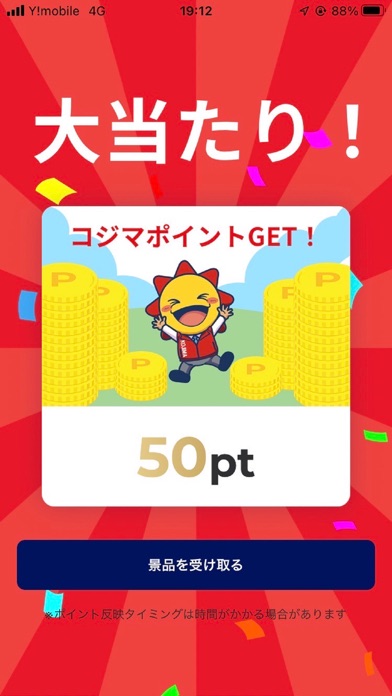
Sampled from 6 of コジマアプリ's App Store screenshots — background, accent and theme, measured by LaunchShots (not something Apple publishes).
#FCFCFC bg
#DDDDDD
#04145C accent
#111111 text
Screenshots




Icon palette
About this app
コジマ店舗でのお買物がよりお得に便利になるアプリです。 毎日ポイントやクーポンが当たるガラポンやおかいものがお得になるクーポン、暮らしに役立つお得な情報を配信いたします。 ポイントカードとしてのご利用・ポイント照会やご購入履歴の確認いただく事ができます。 ■ポイントカード コジマ×ビックカメラカード・コジマクレジット&ポイントカード・アクティブ65俱楽部会員証・コジマポイントカード会員さまがお使いのスマートフォンをポイントカードとしてポイントの付与・ご利用、残高を照会いただく事ができます。 ■ガラポン ポイントやクーポンなどが当たるアプリ会員さま限定特典です。 1日最大2回、アプリ起動で1回/店舗への来店で1回ご利用いただく事ができます。 ■クーポン 商品の割引や景品の引換など、コジマの店舗で使えるお得なクーポンです。 ■店舗 コジマ全店の店舗を検索できます。お気に入りの店舗の登録でお客さまの最寄店舗のお得な情報の配信や店舗までのルート表示・チラシをご覧いただくことができます。 ■購入履歴 アプリにご登録い…
App details
What you can learn from コジマアプリ
Every shipping app on the App Store has gone through the same decisions you're working through right now: which screenshot goes first, what caption sits over it, which device frame to show, what color the background should be. The 6 screenshots above are コジマアプリ's answers to those questions — they're public, they're real, and they made it through Apple's review.
What the numbers say: コジマアプリ runs a mixed light-and-dark set where the background shifts from screenshot to screenshot (first shot #FCFCFC) — each image has to stand on its own, so the captions carry more of the story. The accent colour we picked up, #04145C, is the one to reuse for badges, arrows and highlighted words if you borrow this look. Hit Use this style to open the editor with these exact colours and drop your own screenshot in.
Notice the first screenshot in particular. It's the one users see in search results and on the product page, and it's where most apps spend their best caption and tightest design. Look at the proportion of background to phone, where the text sits, what one thing the image is trying to communicate.
Want to see how other Shopping apps approach the same problem? Browse more Shopping apps in the showcase.
Take what works into your own screenshots
Open LaunchShots and design your App Store & Google Play screenshots — pick a device frame, drop captions, ship in minutes. Free, in your browser.
Open the screenshot editor →Apps with a similar look
Closest background + accent colours among the listings we've analysed — useful when you want to see the same palette handled by a different team.