Chart position — tracked daily by LaunchShots
Screenshot style breakdown
Sampled from 5 of تأويل رؤياي's App Store screenshots — background, accent and theme, measured by LaunchShots (not something Apple publishes).
#5C7C6C bg
#728E80
#C4AC7C accent
#FFFFFF text
Screenshots


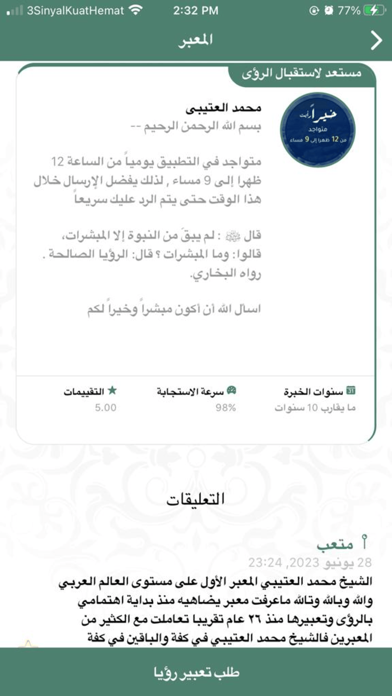


iPad screenshots


Icon palette
About this app
نؤمن أن كل رؤيا تحمل رسالة ، وكل رمز و حلم في منامك قصة تنتظر من يفهمها ويترجمها لك إلى لغة حية تلامس روحك، يهدف تطبيق تأويل رؤياي إلى خدمة المستخدم وتوعيته وتسهيل عملية التواصل بينه وبين معبرين بطريقة مقننّه وميسرة حيث ستكون له الأولوية في تعبير المنامات بشكل فوري وبحسب الشروط والتعليمات المذكورة داخل التطبيق للباحثين عن تأويل الرؤى والأحلام نقدم لكم معبرين متميزين على منهج الكتاب والسنة الذين يتمتعون بخبرة طويلة في تحليل و تفسير الرؤيا يتم تفسير الرؤى لدينا بشكل فوري مباشر أو يوم إلى حد أقصى ثلاثة أيام ، إذ أن تفسير الرؤى يحتاج للتأمل والتفكير والنظر في الأدلة والبينات والتركيز وصفاء الذهن، وقد نُقل عن أبي علي الخياط – وكان من أهل المعرفة في تعبير الرؤى – أنه طُلب منه تفسير رؤيا، فاستأذن ليلةً ليتأمل ويتدبّر القرآن تلك الليلة ، ثم جاء في اليوم التالي في تفسير الرؤيا مستندًا إلى تدبره للقرآن الكريم، فكان في ذلك نفع وشفاء ، مما يُبرز أهمية التأني في تعبير الرؤيا استفد من خدمة تفسير…
App details
What you can learn from تأويل رؤياي
Every shipping app on the App Store has gone through the same decisions you're working through right now: which screenshot goes first, what caption sits over it, which device frame to show, what color the background should be. The 9 screenshots above are تأويل رؤياي's answers to those questions — they're public, they're real, and they made it through Apple's review.
What the numbers say: تأويل رؤياي runs a mixed light-and-dark set where the background shifts from screenshot to screenshot (first shot #5C7C6C) — each image has to stand on its own, so the captions carry more of the story. The accent colour we picked up, #C4AC7C, is the one to reuse for badges, arrows and highlighted words if you borrow this look. Hit Use this style to open the editor with these exact colours and drop your own screenshot in.
Notice the first screenshot in particular. It's the one users see in search results and on the product page, and it's where most apps spend their best caption and tightest design. Look at the proportion of background to phone, where the text sits, what one thing the image is trying to communicate.
Want to see how other Lifestyle apps approach the same problem? Browse more Lifestyle apps in the showcase.
Take what works into your own screenshots
Open LaunchShots and design your App Store & Google Play screenshots — pick a device frame, drop captions, ship in minutes. Free, in your browser.
Open the screenshot editor →Apps with a similar look
Closest background + accent colours among the listings we've analysed — useful when you want to see the same palette handled by a different team.