Chart position — tracked daily by LaunchShots
Screenshot style breakdown
Sampled from 2 of あんしん遠隔サポート's App Store screenshots — background, accent and theme, measured by LaunchShots (not something Apple publishes).
#FCFCFC bg
#DDDDDD
#CC0434 accent
#111111 text
Reading the caption text from the screenshots in your browser…
Screenshots

iPad screenshots


Icon palette
About this app
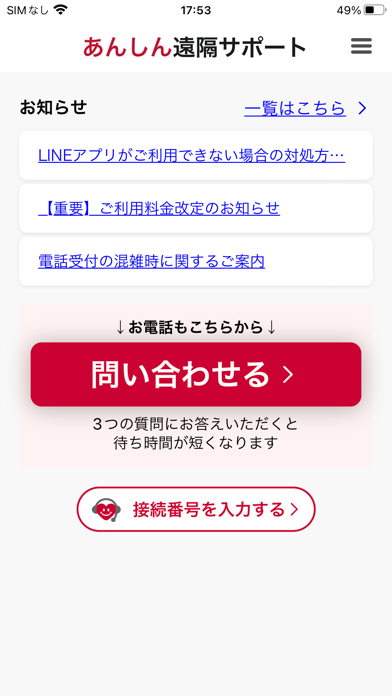
NTTドコモが提供するサービス「あんしん遠隔サポート」をご利用いただくためのアプリです。このアプリを利用することで、「あんしん遠隔サポートセンター」のオペレーターが、お客様のiPhone・iPadの画面を確認しながら、操作や設定など、お客様のお困りごとをサポートできます。 ※ 「あんしん遠隔サポート」のサービス概要、サポート対応機種等は「ドコモのホームページ」にてご確認ください。 ※ 本アプリのご利用(アプリバージョンアップを含む)には別途パケット通信料がかかります。 ※ 本アプリはNTTドコモが提供するサービス「ネットトータルサポート」でもご利用いただけます。 【ご利用の流れ】 ①あんしん遠隔サポートセンター(専用電話番号(無料))へお電話ください。 (iPhoneは、このアプリの「お困りごとを選択する」を選択し、画面に表示された案内に沿って進んだ後に「電話でお問い合わせ」から発信できます) ②オペレーターの案内に従い、オペレーターから案内された6桁の接続番号をアプリに入力します。 ③オペレーターとの接続が完了し、オペ…
App details
What you can learn from あんしん遠隔サポート
Every shipping app on the App Store has gone through the same decisions you're working through right now: which screenshot goes first, what caption sits over it, which device frame to show, what color the background should be. The 4 screenshots above are あんしん遠隔サポート's answers to those questions — they're public, they're real, and they made it through Apple's review.
What the numbers say: あんしん遠隔サポート runs a light set with one background colour (#FCFCFC) carried across every screenshot — the listing reads as a single poster when the shots sit side by side in search results. The accent colour we picked up, #CC0434, is the one to reuse for badges, arrows and highlighted words if you borrow this look. Hit Use this style to open the editor with these exact colours and drop your own screenshot in.
Notice the first screenshot in particular. It's the one users see in search results and on the product page, and it's where most apps spend their best caption and tightest design. Look at the proportion of background to phone, where the text sits, what one thing the image is trying to communicate.
Want to see how other Utilities apps approach the same problem? Browse more Utilities apps in the showcase.
Take what works into your own screenshots
Open LaunchShots and design your App Store & Google Play screenshots — pick a device frame, drop captions, ship in minutes. Free, in your browser.
Open the screenshot editor →Apps with a similar look
Closest background + accent colours among the listings we've analysed — useful when you want to see the same palette handled by a different team.