Chart position — tracked daily by LaunchShots
Screenshot style breakdown
Sampled from 6 of 丰巢-寄快递|洗护|家政|存包's App Store screenshots — background, accent and theme, measured by LaunchShots (not something Apple publishes).
#FCFCF4 bg
#DDDDD6
#ACDC7C accent
#111111 text
Screenshots



Icon palette
About this app
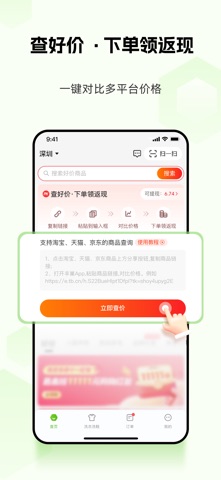
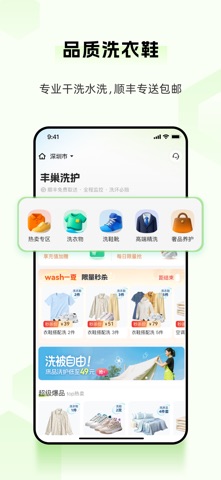
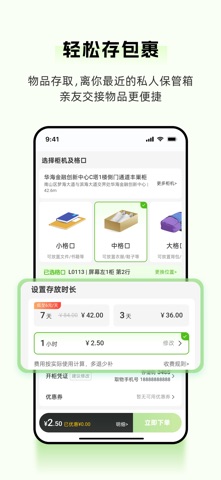
【产品介绍】 丰巢提供24小时智能寄取服务,同步覆盖多元末端社区服务——洗护、家政、物品寄存等,满足消费者在末端社区生活场景的不同需求。 【功能介绍】 - 24h寄件:24小时服务不打烊,多家快递公司可选,运费低至5元起!丰巢App随时下单,更支持多个电商App一键退换货!无需回填地址,运费险订单自动抵扣。 - 查快递:输入运单号及快递公司信息,查询包裹运输实况,随时随地掌握快递动态! - 物品寄存:物品暂存,随存随取。1小时起存,支持小时/天/月灵活存储,可提供转寄服务。 - 丰巢洗护:提供品质洗衣、洗鞋、洗家纺服务,定制化洗护方案,顺丰专送来回包邮! - 丰巢到家:提供家政、日常保洁、家电清洗等服务,安心有保障! - 查好价 · 领返利:发现隐藏优惠,支持一键对比多个电商平台价格,买完还可领返利! 【联系我们】 客服热线:95333 官方微信:丰巢 官方微博:@丰巢 感谢您对丰巢的支持,祝您生活愉快!
App details
What you can learn from 丰巢-寄快递|洗护|家政|存包
Every shipping app on the App Store has gone through the same decisions you're working through right now: which screenshot goes first, what caption sits over it, which device frame to show, what color the background should be. The 6 screenshots above are 丰巢-寄快递|洗护|家政|存包's answers to those questions — they're public, they're real, and they made it through Apple's review.
What the numbers say: 丰巢-寄快递|洗护|家政|存包 runs a light set with one background colour (#FCFCF4) carried across every screenshot — the listing reads as a single poster when the shots sit side by side in search results. The accent colour we picked up, #ACDC7C, is the one to reuse for badges, arrows and highlighted words if you borrow this look. Hit Use this style to open the editor with these exact colours and drop your own screenshot in.
Notice the first screenshot in particular. It's the one users see in search results and on the product page, and it's where most apps spend their best caption and tightest design. Look at the proportion of background to phone, where the text sits, what one thing the image is trying to communicate.
Want to see how other Lifestyle apps approach the same problem? Browse more Lifestyle apps in the showcase.
Take what works into your own screenshots
Open LaunchShots and design your App Store & Google Play screenshots — pick a device frame, drop captions, ship in minutes. Free, in your browser.
Open the screenshot editor →Apps with a similar look
Closest background + accent colours among the listings we've analysed — useful when you want to see the same palette handled by a different team.