Chart position — tracked daily by LaunchShots
Screenshot style breakdown
Sampled from 5 of 天府通办's App Store screenshots — background, accent and theme, measured by LaunchShots (not something Apple publishes).
#4C9CFC bg
#4289DD
#9CCCFC accent
#111111 text
Screenshots



Icon palette
About this app
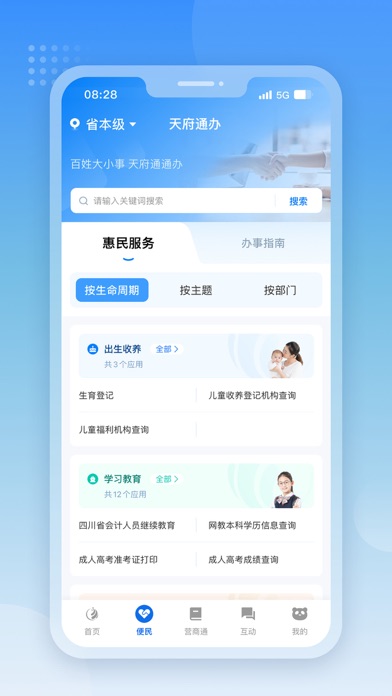
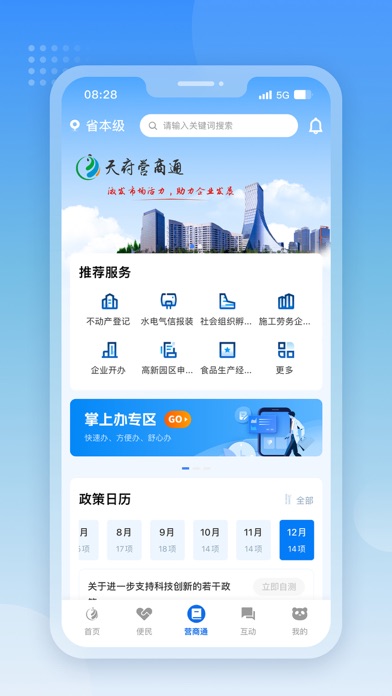
建立四川政务服务“天府通办”掌上办事总门户,打造四川移动服务品牌,加速推进“一网通办”,实现政务服 务精准化、便捷化和移动化,优化“看、问、查、办、评”等功能。“天府通办”公开发布全省政务服务事项办事指南,为公众提供场景式服务导航,提供网上查询、咨询投诉等办 事服务功能。“天府通办”与国家政务服务平台对接同步信息,各地各部门政府网站可通过反向链接、接口推送 、联合建设等方式,使用、共享、共建四川政务服务移动总门户。
App details
What you can learn from 天府通办
Every shipping app on the App Store has gone through the same decisions you're working through right now: which screenshot goes first, what caption sits over it, which device frame to show, what color the background should be. The 5 screenshots above are 天府通办's answers to those questions — they're public, they're real, and they made it through Apple's review.
What the numbers say: 天府通办 runs a light set with one background colour (#4C9CFC) carried across every screenshot — the listing reads as a single poster when the shots sit side by side in search results. The accent colour we picked up, #9CCCFC, is the one to reuse for badges, arrows and highlighted words if you borrow this look. Hit Use this style to open the editor with these exact colours and drop your own screenshot in.
Notice the first screenshot in particular. It's the one users see in search results and on the product page, and it's where most apps spend their best caption and tightest design. Look at the proportion of background to phone, where the text sits, what one thing the image is trying to communicate.
Want to see how other Productivity apps approach the same problem? Browse more Productivity apps in the showcase.
Take what works into your own screenshots
Open LaunchShots and design your App Store & Google Play screenshots — pick a device frame, drop captions, ship in minutes. Free, in your browser.
Open the screenshot editor →Apps with a similar look
Closest background + accent colours among the listings we've analysed — useful when you want to see the same palette handled by a different team.