Chart position — tracked daily by LaunchShots
Screenshot style breakdown
Sampled from 6 of Python编程狮-AI零基础高效学Python教程编译器's App Store screenshots — background, accent and theme, measured by LaunchShots (not something Apple publishes).
#FCFCFC bg
#DDDDDD
#3C74FC accent
#111111 text
Screenshots
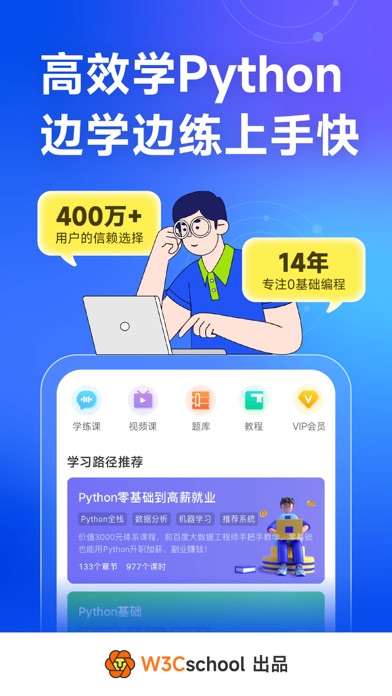


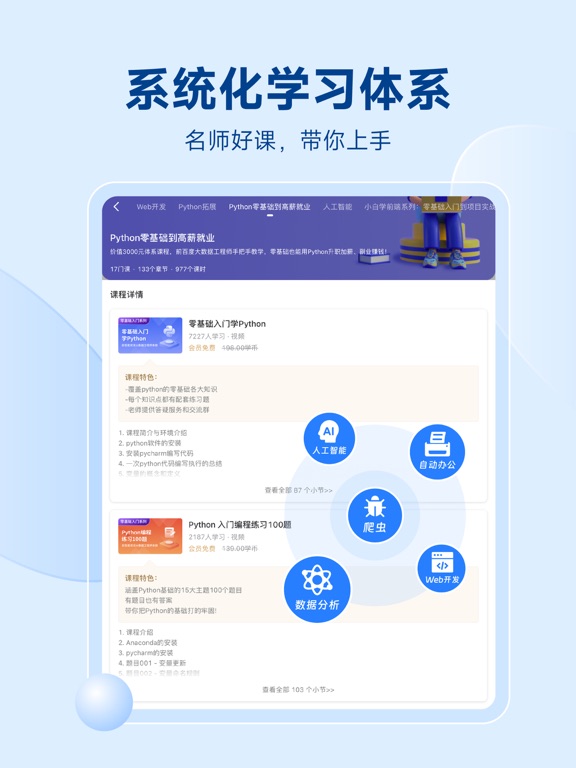
iPad screenshots




Icon palette
About this app
# 500万+Python编程达人的口碑之选 # 4000+全球五星评价 # 游戏化闯关“编程微课”+“编程实战”,给你不一样的编程学习方式; Python编程狮是W3Cschool编程狮研发的专门为零基础Python编程爱好者打造的一款入门工具App,致力于帮助初学者入门,轻松迈入编程世界。学Python,从这里开始! 【零基础也能学】初学者从0到1,轻松入门; 【微课即学即练】游戏化闯关学习,学练结合,快速掌握; 【免费教程】内容、知识点丰富,完全免费; 【Python题库】在练习中巩固,查缺补漏; 【在线编译】手机端写代码,随时随地轻松实践; 【碎片化学习】每天30分钟,碎片化时间想学就学。 也许你需要勾搭其他学习的小伙伴,一起来个思维碰撞,或者寻求帮助,可以加我们的客服微信号加入相关学习小组~ ● 客服微信号:bcshi666 ● 电子邮箱:kefu@eeedong.com
App details
What you can learn from Python编程狮-AI零基础高效学Python教程编译器
Every shipping app on the App Store has gone through the same decisions you're working through right now: which screenshot goes first, what caption sits over it, which device frame to show, what color the background should be. The 12 screenshots above are Python编程狮-AI零基础高效学Python教程编译器's answers to those questions — they're public, they're real, and they made it through Apple's review.
What the numbers say: Python编程狮-AI零基础高效学Python教程编译器 runs a light set with one background colour (#FCFCFC) carried across every screenshot — the listing reads as a single poster when the shots sit side by side in search results. The accent colour we picked up, #3C74FC, is the one to reuse for badges, arrows and highlighted words if you borrow this look. Hit Use this style to open the editor with these exact colours and drop your own screenshot in.
Notice the first screenshot in particular. It's the one users see in search results and on the product page, and it's where most apps spend their best caption and tightest design. Look at the proportion of background to phone, where the text sits, what one thing the image is trying to communicate.
Want to see how other Developer Tools apps approach the same problem? Browse more Developer Tools apps in the showcase.
Take what works into your own screenshots
Open LaunchShots and design your App Store & Google Play screenshots — pick a device frame, drop captions, ship in minutes. Free, in your browser.
Open the screenshot editor →Apps with a similar look
Closest background + accent colours among the listings we've analysed — useful when you want to see the same palette handled by a different team.