Chart position — tracked daily by LaunchShots
Screenshot style breakdown
Sampled from 6 of 指尖时光-日程计划&日历记事&目标打卡's App Store screenshots — background, accent and theme, measured by LaunchShots (not something Apple publishes).
#FC8404 bg
#DD7403
#84D47C accent
#111111 text
Screenshots
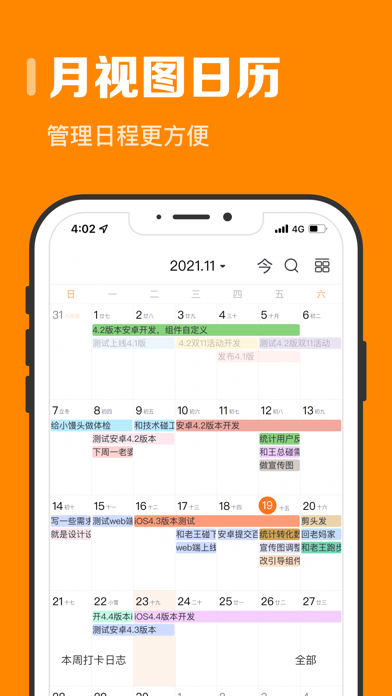


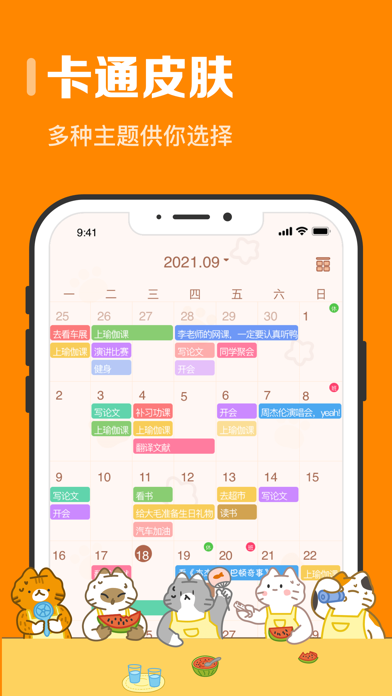

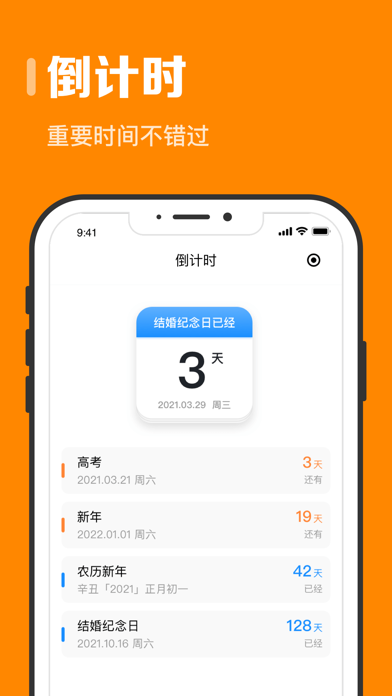


iPad screenshots


Icon palette
About this app
「指尖时光」你的智能GTD伙伴,轻松捕捉灵感,高效执行任务。 是否感觉时间总在不经意间流逝,计划满满却效率低下?「指尖时光」是一款为你量身打造的极简时间管理与个人成长伙伴。我们相信,改变始于记录,成功源于专注。它将通过优雅的设计和强大的功能,帮助你夺回时间的主导权,告别拖延,拥抱高效与自律。 【 任务清单 】 - 清晰规划:轻松创建每日、每周任务,设置优先级,让你的目标一目了然。 - 智能提醒:在关键时刻提醒你,不错过任何重要事项。 - 分类视图:按项目、场景(如工作、学习、生活)分类,让一切井井有条。 【 沉浸式专注 】 - 番茄工作法:基于科学的番茄钟,设定专注时长与休息时间,劳逸结合效率更高。 - 白噪音模式:内置多种自然声音(如下雨、森林、海浪),屏蔽干扰,让你快速进入心流状态。 - 专注统计:记录你的累计专注时长,见证自己的努力与进步。 【 时光足迹 】 - 一键记录:轻松记录你在不同活动上花费的时间,无论是阅读、运动还是工作。 - 可视化报告:通过直观的图表(饼图、条形图),清晰了解你的时间去向,发现可优化…
App details
What you can learn from 指尖时光-日程计划&日历记事&目标打卡
Every shipping app on the App Store has gone through the same decisions you're working through right now: which screenshot goes first, what caption sits over it, which device frame to show, what color the background should be. The 18 screenshots above are 指尖时光-日程计划&日历记事&目标打卡's answers to those questions — they're public, they're real, and they made it through Apple's review.
What the numbers say: 指尖时光-日程计划&日历记事&目标打卡 runs a light set with one background colour (#FC8404) carried across every screenshot — the listing reads as a single poster when the shots sit side by side in search results. The accent colour we picked up, #84D47C, is the one to reuse for badges, arrows and highlighted words if you borrow this look. Hit Use this style to open the editor with these exact colours and drop your own screenshot in.
Notice the first screenshot in particular. It's the one users see in search results and on the product page, and it's where most apps spend their best caption and tightest design. Look at the proportion of background to phone, where the text sits, what one thing the image is trying to communicate.
Want to see how other Productivity apps approach the same problem? Browse more Productivity apps in the showcase.
Take what works into your own screenshots
Open LaunchShots and design your App Store & Google Play screenshots — pick a device frame, drop captions, ship in minutes. Free, in your browser.
Open the screenshot editor →Apps with a similar look
Closest background + accent colours among the listings we've analysed — useful when you want to see the same palette handled by a different team.