Chart position — tracked daily by LaunchShots
Screenshot changes — detected by LaunchShots
Screenshot style breakdown
Sampled from 5 of Jフェス's App Store screenshots — background, accent and theme, measured by LaunchShots (not something Apple publishes).
#E42414 bg
#E74234
#04BC9C accent
#FFFFFF text
Screenshots

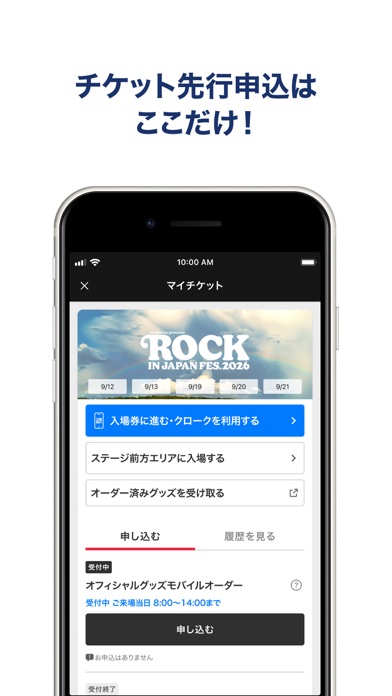
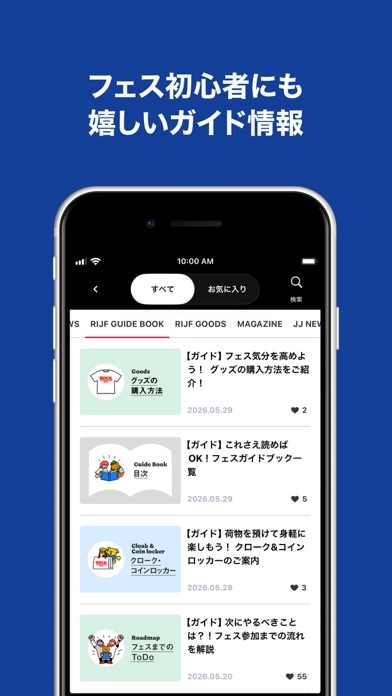


Icon palette
About this app
ROCK IN JAPAN FESTIVAL、COUNTDOWN JAPAN、JAPAN JAMの公式アプリ。 出演アーティスト発表からフェスのチケットお申し込み、初心者に嬉しいガイド情報など、フェスに関するすべてを全面サポート! ■チケット先行申込はこのアプリだけ! チケットの先行受付から当日の入場まで、すべてが「Jフェス」アプリで完結!出演アーティスト発表やチケットの受付開始もプッシュ通知でいち早くお知らせします。 ■フェス初心者にも嬉しいガイドブックも! 会場へのアクセス、オフィシャルグッズの購入方法、服装や持ち物のアドバイス、参加者のファッションスナップなど、フェスを楽しむためのありとあらゆる情報をイラストや写真を交えながら解説します。 ■タイムテーブル・マップなど必ずフェス当日に役立つ機能を搭載! 毎回好評のマイタイムテーブルや、飲食店、グッズ情報、エリアマップなど、当日役立つ機能ももちろん搭載。気になる飲食店やグッズをお気に入り登録したり、フェスの準備にもお役立ち。 ■ライブ写真やセットリストでフェスが終わった後も楽しもう! フ…
App details
What you can learn from Jフェス
Every shipping app on the App Store has gone through the same decisions you're working through right now: which screenshot goes first, what caption sits over it, which device frame to show, what color the background should be. The 5 screenshots above are Jフェス's answers to those questions — they're public, they're real, and they made it through Apple's review.
What the numbers say: Jフェス runs a mixed light-and-dark set where the background shifts from screenshot to screenshot (first shot #E42414) — each image has to stand on its own, so the captions carry more of the story. The accent colour we picked up, #04BC9C, is the one to reuse for badges, arrows and highlighted words if you borrow this look. Hit Use this style to open the editor with these exact colours and drop your own screenshot in.
Notice the first screenshot in particular. It's the one users see in search results and on the product page, and it's where most apps spend their best caption and tightest design. Look at the proportion of background to phone, where the text sits, what one thing the image is trying to communicate.
Want to see how other Music apps approach the same problem? Browse more Music apps in the showcase.
Take what works into your own screenshots
Open LaunchShots and design your App Store & Google Play screenshots — pick a device frame, drop captions, ship in minutes. Free, in your browser.
Open the screenshot editor →Apps with a similar look
Closest background + accent colours among the listings we've analysed — useful when you want to see the same palette handled by a different team.