Screenshot style breakdown
Sampled from 5 of HomeCom Easy's App Store screenshots — background, accent and theme, measured by LaunchShots (not something Apple publishes).
#6C1C7C bg
#803B8E
#74C4E4 accent
#FFFFFF text
Screenshots

Icon palette
About this app
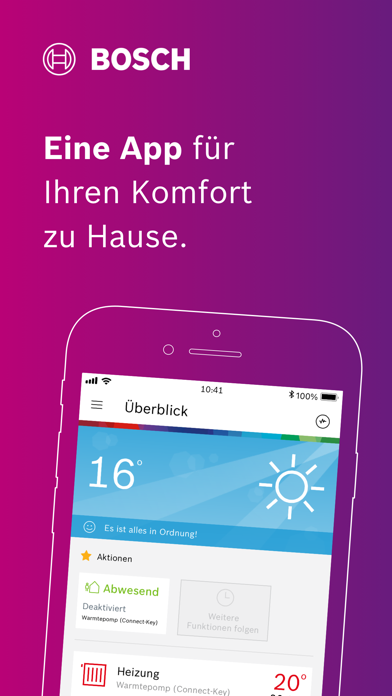
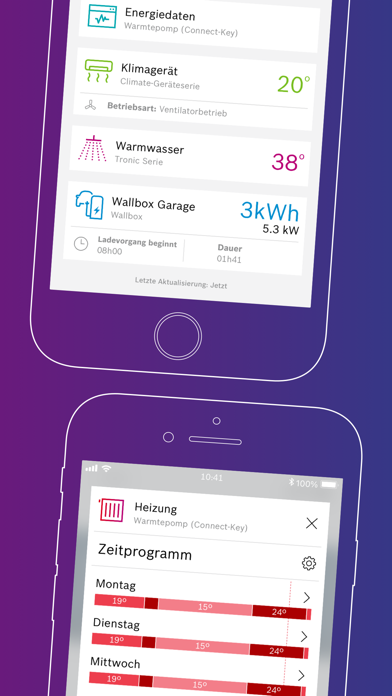
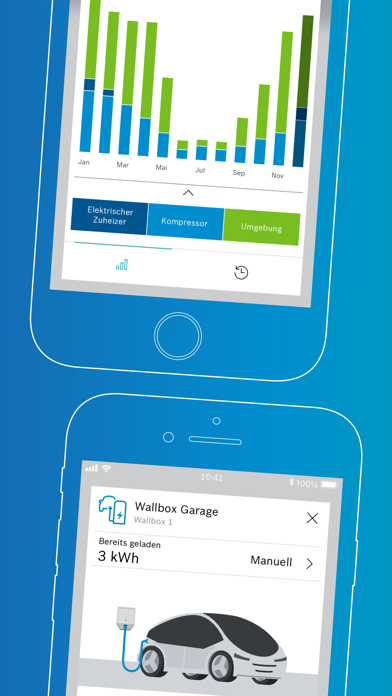
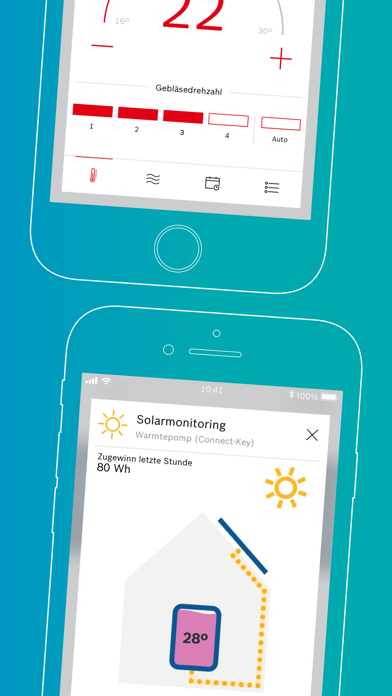
Willkommen zu HomeCom Easy, einer konsequent mit unseren Nutzern entwickelten App, für ein großartiges Nutzererlebnis. Mit HomeCom Easy kann man Geräte von Bosch Thermotechnik einfach und intuitiv per App bedienen. Unterstützte Produkte: - Gas-/Öl-Heizungen und Wärmepumpen mit den Reglern CW400 (CR400, CW800) oder HPC400 und einem Internet-Gateway mit LAN-Anschluss - Wärmepumpen: Compress 7800i LW(M). Compress 7400, 7001, 6000, 5800 AW und Compress 3400i AWS mit Connect-Key - Zentrale Wohnungslüftungsgeräte: Vent 5000 C, Vent 4000 CC mit CV200 und Internet-Gateway - Klima-Splitgeräte: Climate 6000/8000/9000 mit Internet-Gateway G10 CL - EV-Ladegerät: Bosch Power Charge - Durchlauferhitzer: Therm 5000 Serie, Tronic Serie Hauptfunktionen sind: - Bedienung von Raumtemperatur, Betriebsarten und Zeitprogramm - Bedienung von Warmwasser - Energieverbrauchsanzeige - Anzeige von Lü…
App details
What you can learn from HomeCom Easy
Every shipping app on the App Store has gone through the same decisions you're working through right now: which screenshot goes first, what caption sits over it, which device frame to show, what color the background should be. The 5 screenshots above are HomeCom Easy's answers to those questions — they're public, they're real, and they made it through Apple's review.
What the numbers say: HomeCom Easy runs a dark set where the background shifts from screenshot to screenshot (first shot #6C1C7C) — each image has to stand on its own, so the captions carry more of the story. The accent colour we picked up, #74C4E4, is the one to reuse for badges, arrows and highlighted words if you borrow this look. Hit Use this style to open the editor with these exact colours and drop your own screenshot in.
Notice the first screenshot in particular. It's the one users see in search results and on the product page, and it's where most apps spend their best caption and tightest design. Look at the proportion of background to phone, where the text sits, what one thing the image is trying to communicate.
Want to see how other Lifestyle apps approach the same problem? Browse more Lifestyle apps in the showcase.
Take what works into your own screenshots
Open LaunchShots and design your App Store & Google Play screenshots — pick a device frame, drop captions, ship in minutes. Free, in your browser.
Open the screenshot editor →Apps with a similar look
Closest background + accent colours among the listings we've analysed — useful when you want to see the same palette handled by a different team.