Screenshot style breakdown
Sampled from 6 of 唱鸭-弹唱说唱's App Store screenshots — background, accent and theme, measured by LaunchShots (not something Apple publishes).
#FCFCFC bg
#DDDDDD
#F4C404 accent
#111111 text
Reading the caption text from the screenshots in your browser…
Screenshots


Icon palette
About this app
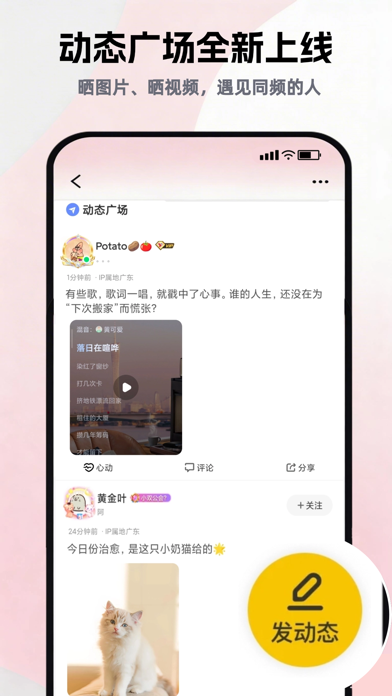
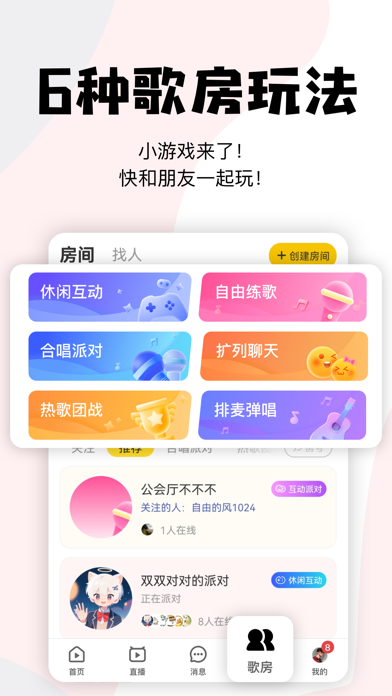
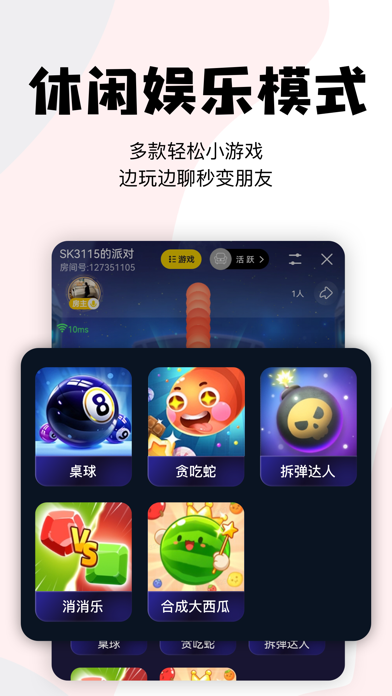
唱鸭,一个基于弹唱的音乐社区。不懂乐器,也能轻松玩音乐! 【小游戏】歌房内置桌球、贪吃蛇、拆弹达人、对战消消乐、合成大西瓜等多款休闲游戏,支持多人实时互动,边玩边聊,结交新友 【动态广场】晒日常、晒音乐、晒生活,用图文视频遇见同频的人! 【合唱派对】支持多人实时合唱,和好友共同完成一首歌,让音乐更有趣! 【三键成曲】只需弹奏3个音符或哼段旋律,AI即可生成个性化乐曲。支持调整风格、填词演唱,不懂乐理也能自己创作 【AI 写歌】输入歌词,选个喜欢的风格,AI帮你写歌、帮你唱!不懂乐器,也能拥有自己的原创作品 【热歌团战】3v3组队抢唱,拼歌喉、拼手速,争夺荣誉巅峰 【弹唱玩法】不懂乐器也能自弹自唱。还能添加鼓点、和声、音效、旋律,让你的弹唱更有料 【合奏玩法】选择喜欢的作品加入合奏,添加音效、旋律、和声,甚至加入念白,一起创作有趣的剧情歌 【制作乐段】自主制作Beats,节拍器、自动对齐、和弦模板一键上手,轻松完成节奏与旋律创作 【家族玩法】唱鸭家族,兴趣同好聚集地!音乐、念白、二次元、游戏……想找一起玩的…
App details
What you can learn from 唱鸭-弹唱说唱
Every shipping app on the App Store has gone through the same decisions you're working through right now: which screenshot goes first, what caption sits over it, which device frame to show, what color the background should be. The 6 screenshots above are 唱鸭-弹唱说唱's answers to those questions — they're public, they're real, and they made it through Apple's review.
What the numbers say: 唱鸭-弹唱说唱 runs a light set with one background colour (#FCFCFC) carried across every screenshot — the listing reads as a single poster when the shots sit side by side in search results. The accent colour we picked up, #F4C404, is the one to reuse for badges, arrows and highlighted words if you borrow this look. Hit Use this style to open the editor with these exact colours and drop your own screenshot in.
Notice the first screenshot in particular. It's the one users see in search results and on the product page, and it's where most apps spend their best caption and tightest design. Look at the proportion of background to phone, where the text sits, what one thing the image is trying to communicate.
Want to see how other Music apps approach the same problem? Browse more Music apps in the showcase.
Take what works into your own screenshots
Open LaunchShots and design your App Store & Google Play screenshots — pick a device frame, drop captions, ship in minutes. Free, in your browser.
Open the screenshot editor →Apps with a similar look
Closest background + accent colours among the listings we've analysed — useful when you want to see the same palette handled by a different team.