Chart position — tracked daily by LaunchShots
Screenshot changes — detected by LaunchShots
Screenshot style breakdown
Sampled from 3 of 動画保存〜動画クリップをバックグラウンド〜BREMEN's App Store screenshots — background, accent and theme, measured by LaunchShots (not something Apple publishes).
#E44444 bg
#E75E5E
#FC9C9C accent
#FFFFFF text
Screenshots


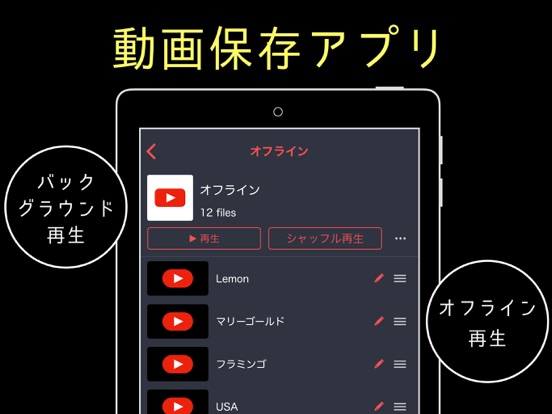
iPad screenshots

Icon palette
About this app
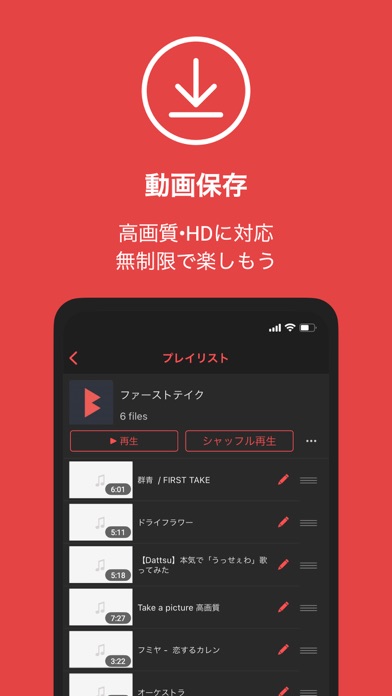
手持ちの動画をバックグラウンド再生できます! 無制限 使い放題! ミュージックプレイヤーのように、動画をバックグランド再生 フルスクリーン再生 ができます! 動画保存でオフラインにクリップしまくろう 音楽も動画もあなたの自由自在 ユーチューブのように簡単に使える 使い方はとても簡単!シンプル! だけど、便利な機能が満載! ▷ アルバムのビデオやiCloudのビデオをバックグラウンドで再生! ▷ 各種クラウドサービスと連携してファイルのインポート! ▷ 自動で次のファイル再生、ループ再生も! ▷ iPhoneを横にすると全画面再生! ▷ ロックスクリーンで操作も可能! ▷ プレイリストのようにフォルダを作成! YouTubeは出来ません! 【プレミアムプラン(月額課金)について】 ・プレミアムプラン定期購読は1ヶ月毎に300円です。 ・契約なし - Appleの設定でいつでもキャンセルできます。 ・購入を確認すると、お支払いはiTunesアカウントで請求されます。 ・現在の期間が終了する少なくとも24時間前に、自動更新をオフにしない限り、定期購入は自動的に…
App details
What you can learn from 動画保存〜動画クリップをバックグラウンド〜BREMEN
Every shipping app on the App Store has gone through the same decisions you're working through right now: which screenshot goes first, what caption sits over it, which device frame to show, what color the background should be. The 5 screenshots above are 動画保存〜動画クリップをバックグラウンド〜BREMEN's answers to those questions — they're public, they're real, and they made it through Apple's review.
What the numbers say: 動画保存〜動画クリップをバックグラウンド〜BREMEN runs a dark set with one background colour (#E44444) carried across every screenshot — the listing reads as a single poster when the shots sit side by side in search results. The accent colour we picked up, #FC9C9C, is the one to reuse for badges, arrows and highlighted words if you borrow this look. Hit Use this style to open the editor with these exact colours and drop your own screenshot in.
Notice the first screenshot in particular. It's the one users see in search results and on the product page, and it's where most apps spend their best caption and tightest design. Look at the proportion of background to phone, where the text sits, what one thing the image is trying to communicate.
Want to see how other Photo & Video apps approach the same problem? Browse more Photo & Video apps in the showcase.
Take what works into your own screenshots
Open LaunchShots and design your App Store & Google Play screenshots — pick a device frame, drop captions, ship in minutes. Free, in your browser.
Open the screenshot editor →Apps with a similar look
Closest background + accent colours among the listings we've analysed — useful when you want to see the same palette handled by a different team.