Chart position — tracked daily by LaunchShots
Screenshot changes — detected by LaunchShots
Screenshot style breakdown
Sampled from 6 of 漢字辞典 - 手書き漢字検索アプリ's App Store screenshots — background, accent and theme, measured by LaunchShots (not something Apple publishes).
#DCE4E4 bg
#C1C8C8
#24648C accent
#111111 text
Reading the caption text from the screenshots in your browser…
Screenshots
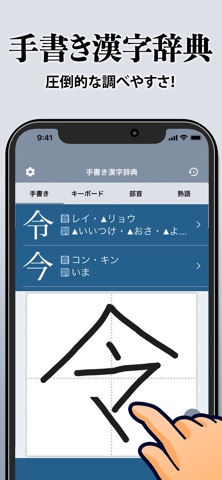


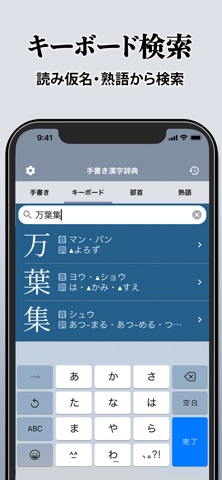
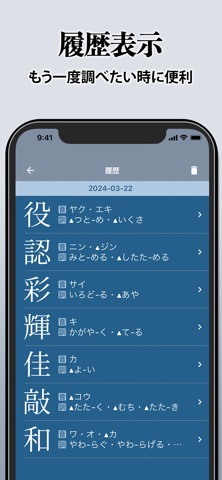
iPad screenshots


Icon palette
About this app
圧倒的に調べやすい漢字辞典アプリ。 手書きで字形から検索できる他、読み方や部首からも漢字を検索可能。 検索した漢字は大きく表示され、書き順(筆順)表示にも対応。 旧字体、異体字も収録し、1万以上の漢字に対応した本格的な漢字辞典アプリです! 無料の漢字辞典・漢字辞書アプリをお探しなら、このアプリがおすすめ! 本アプリ「漢字辞典 - 手書きで検索できる漢字辞書アプリ」は無料ですべてのコンテンツをご利用頂けます。 広告表示が気になる方は、有料となり誠に恐縮ですが、もし宜しければ「快適プラン(広告非表示)」をご利用ください。 利用規約 https://apps.trips.co.jp/terms_of_use.html 不具合などに気が付かれた方は、アプリ内のお問い合わせからお気軽にご連絡下さい。 このアプリ「漢字辞典 - 手書きで検索できる漢字辞書アプリ」は、 累計1000万DL、信頼と実績の学習アプリ「独学TODAY」シリーズのアプリです。
App details
What you can learn from 漢字辞典 - 手書き漢字検索アプリ
Every shipping app on the App Store has gone through the same decisions you're working through right now: which screenshot goes first, what caption sits over it, which device frame to show, what color the background should be. The 12 screenshots above are 漢字辞典 - 手書き漢字検索アプリ's answers to those questions — they're public, they're real, and they made it through Apple's review.
What the numbers say: 漢字辞典 - 手書き漢字検索アプリ runs a light set with one background colour (#DCE4E4) carried across every screenshot — the listing reads as a single poster when the shots sit side by side in search results. The accent colour we picked up, #24648C, is the one to reuse for badges, arrows and highlighted words if you borrow this look. Hit Use this style to open the editor with these exact colours and drop your own screenshot in.
Notice the first screenshot in particular. It's the one users see in search results and on the product page, and it's where most apps spend their best caption and tightest design. Look at the proportion of background to phone, where the text sits, what one thing the image is trying to communicate.
Want to see how other Reference apps approach the same problem? Browse more Reference apps in the showcase.
Take what works into your own screenshots
Open LaunchShots and design your App Store & Google Play screenshots — pick a device frame, drop captions, ship in minutes. Free, in your browser.
Open the screenshot editor →Apps with a similar look
Closest background + accent colours among the listings we've analysed — useful when you want to see the same palette handled by a different team.