Chart position — tracked daily by LaunchShots
Screenshot style breakdown
Sampled from 6 of 明日方舟's App Store screenshots — background, accent and theme, measured by LaunchShots (not something Apple publishes).
#FCFCFC bg
#DDDDDD
#0C9CF4 accent
#111111 text
Screenshots


iPad screenshots




Icon palette
About this app
鹰角网络独立开发运营的策略手游 【世界观】 大地被起因不明的天灾四处肆虐,经由天灾席卷过的土地上出现了大量的神秘矿物——“源石”。 依赖于技术的进步,源石蕴含的能量投入工业后使得文明顺利迈入现代,与此同时,源石本身也催生出“感染者”的存在。 “感染者”是身俱力量与不幸的存在,如今他们中的一部分,妄图与源石整合为一,为大地带来新的秩序。 这场战火阴谋是我们对抗天灾遇到的新的阻碍。 你将作为罗德岛的一员,与罗德岛公开领导人阿米娅一同,雇佣人员频繁进入天灾影响后的高危地区,救助受难人群,处理矿石争端,以及对抗整合运动—— “罗德岛”的战术头脑,你准备好了吗? 【关注我们】 官方网站:https://ak.hypergryph.com/ 官方微博:@明日方舟Arknights 官方微信:明日方舟Arknights
App details
What you can learn from 明日方舟
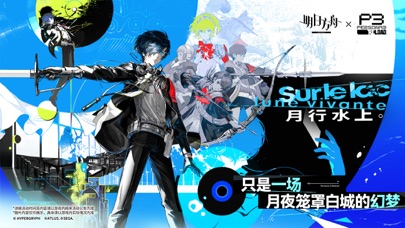
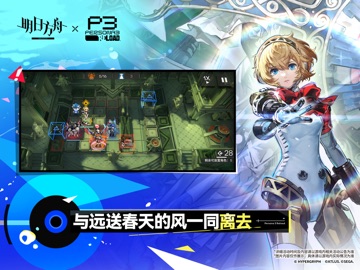
Every shipping app on the App Store has gone through the same decisions you're working through right now: which screenshot goes first, what caption sits over it, which device frame to show, what color the background should be. The 12 screenshots above are 明日方舟's answers to those questions — they're public, they're real, and they made it through Apple's review.
What the numbers say: 明日方舟 runs a light set where the background shifts from screenshot to screenshot (first shot #FCFCFC) — each image has to stand on its own, so the captions carry more of the story. The accent colour we picked up, #0C9CF4, is the one to reuse for badges, arrows and highlighted words if you borrow this look. Hit Use this style to open the editor with these exact colours and drop your own screenshot in.
Notice the first screenshot in particular. It's the one users see in search results and on the product page, and it's where most apps spend their best caption and tightest design. Look at the proportion of background to phone, where the text sits, what one thing the image is trying to communicate.
Want to see how other Games apps approach the same problem? Browse more Games apps in the showcase.
Take what works into your own screenshots
Open LaunchShots and design your App Store & Google Play screenshots — pick a device frame, drop captions, ship in minutes. Free, in your browser.
Open the screenshot editor →Apps with a similar look
Closest background + accent colours among the listings we've analysed — useful when you want to see the same palette handled by a different team.