Chart position — tracked daily by LaunchShots
Screenshot style breakdown
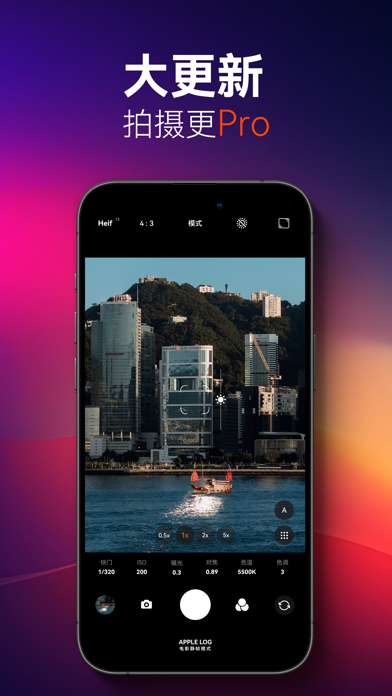
Sampled from 6 of 极影相机 - 口袋中的专业相机's App Store screenshots — background, accent and theme, measured by LaunchShots (not something Apple publishes).
#040404 bg
#272727
#74ACBC accent
#FFFFFF text
Screenshots


Icon palette
About this app
我们是极影相机的设计团队。我们设计极影相机可以使您更好地使用手机来拍摄无限的创意。从现在开始,您不再需要携带笨重的相机,也无需繁琐地设置参数,只需使用极影相机即可实现所有这些功能,实时照片滤镜,手动控制,延时摄影,运动模糊模式,光绘,Raw格式,Log色彩等…您只需要的仅仅是极影相机。 您手中的手机功能比您想像的还要强大,还在使用它拍摄平庸的视频吗?尝试使用极影相机,实时滤镜,4K 60P,电影级视频稳定,Log色彩等。您的手机就是口袋里的专业相机! 如果您有任何功能或想法,请通过添加微信alan_lu或在小红书@极影相机(fotorgear)与我们联系。 #照片功能# 边框水印 让你拍摄的每一张照片都称为精美的艺术品 可选快门声音 内置多款真实相机声音,沉浸式拍摄体验 手动控制 控制摄影参数的一切。快门速度,ISO,对焦,白平衡,色偏,曝光补偿等等 实时照片滤镜 实时应用照片滤镜。包括人像,电影,电影,黑白,风景模式。 拍摄RAW原始文件 以RAW格式拍照,保留更多图像细节。 峰值对焦 峰值对焦可以让你实现更精确的焦点调整。 直方图 …
App details
What you can learn from 极影相机 - 口袋中的专业相机
Every shipping app on the App Store has gone through the same decisions you're working through right now: which screenshot goes first, what caption sits over it, which device frame to show, what color the background should be. The 10 screenshots above are 极影相机 - 口袋中的专业相机's answers to those questions — they're public, they're real, and they made it through Apple's review.
What the numbers say: 极影相机 - 口袋中的专业相机 runs a dark set with one background colour (#040404) carried across every screenshot — the listing reads as a single poster when the shots sit side by side in search results. The accent colour we picked up, #74ACBC, is the one to reuse for badges, arrows and highlighted words if you borrow this look. Hit Use this style to open the editor with these exact colours and drop your own screenshot in.
Notice the first screenshot in particular. It's the one users see in search results and on the product page, and it's where most apps spend their best caption and tightest design. Look at the proportion of background to phone, where the text sits, what one thing the image is trying to communicate.
Want to see how other Photo & Video apps approach the same problem? Browse more Photo & Video apps in the showcase.
Take what works into your own screenshots
Open LaunchShots and design your App Store & Google Play screenshots — pick a device frame, drop captions, ship in minutes. Free, in your browser.
Open the screenshot editor →Apps with a similar look
Closest background + accent colours among the listings we've analysed — useful when you want to see the same palette handled by a different team.