Chart position — tracked daily by LaunchShots
Screenshot changes — detected by LaunchShots
Screenshot style breakdown
Sampled from 6 of 健康监测仪's App Store screenshots — background, accent and theme, measured by LaunchShots (not something Apple publishes).
#FCFCFC bg
#DDDDDD
#B48474 accent
#111111 text
Screenshots


iPad screenshots


Icon palette
About this app
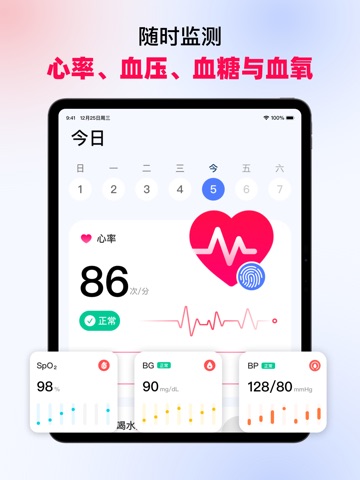
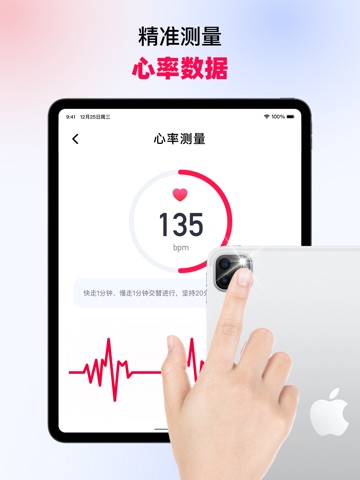
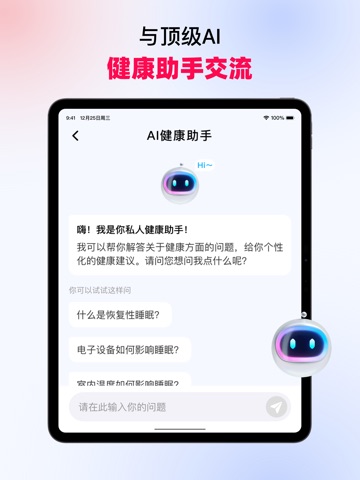
我们始终关注您的心脏健康,健康监测仪依托AI技术打造的全能健康助手,能一站式实时监测多项健康数据。健康监测仪为你提供实时监测与记录服务,涵盖心率、呼吸频率、血压、BMI 等核心健康数据,全程助力你的健康管理之路。它将作为你的专属个人健康日记,所有关键数据都能在一个应用内轻松记录、随时查阅。让你精准关注身体的每一处细微变化,为健康发展保驾护航,稳步迈向更健康的生活状态。 核心功能如下: 【个人健康统计】 实时追踪健康动态,精准记录每一处关键细节,让你随时清晰掌握身体状态,不遗漏任何健康信号。 【全面健康监测】 只需一次面部扫描,即可快速记录心率等核心生命体征数据,支持随时查阅监测结果,为每日健康保驾护航。 【心率测量】 只需将手指轻放于手机上,就能快速获取您的心率数据 【胎心检测】 记录并分享胎儿心跳声音,对宝宝状态精心记录 【HRV 监测】 助力获取 HRV 数据,便于查看身体应激水平 【压力追踪】 时刻关注您的压力变化,让您清晰了解自身情绪压力状态 【血压记录】 协助记录您每次的血压检测结果 【血氧跟踪】 帮助记录…
App details
What you can learn from 健康监测仪
Every shipping app on the App Store has gone through the same decisions you're working through right now: which screenshot goes first, what caption sits over it, which device frame to show, what color the background should be. The 15 screenshots above are 健康监测仪's answers to those questions — they're public, they're real, and they made it through Apple's review.
What the numbers say: 健康监测仪 runs a light set with one background colour (#FCFCFC) carried across every screenshot — the listing reads as a single poster when the shots sit side by side in search results. The accent colour we picked up, #B48474, is the one to reuse for badges, arrows and highlighted words if you borrow this look. Hit Use this style to open the editor with these exact colours and drop your own screenshot in.
Notice the first screenshot in particular. It's the one users see in search results and on the product page, and it's where most apps spend their best caption and tightest design. Look at the proportion of background to phone, where the text sits, what one thing the image is trying to communicate.
Want to see how other Health & Fitness apps approach the same problem? Browse more Health & Fitness apps in the showcase.
Take what works into your own screenshots
Open LaunchShots and design your App Store & Google Play screenshots — pick a device frame, drop captions, ship in minutes. Free, in your browser.
Open the screenshot editor →Apps with a similar look
Closest background + accent colours among the listings we've analysed — useful when you want to see the same palette handled by a different team.