Screenshot style breakdown
Sampled from 4 of 鏡(かがみ)&ビフォーアフターアプリ-BAミラー's App Store screenshots — background, accent and theme, measured by LaunchShots (not something Apple publishes).
#FC848C bg
#DD747B
#B45464 accent
#111111 text
Screenshots
Icon palette
About this app
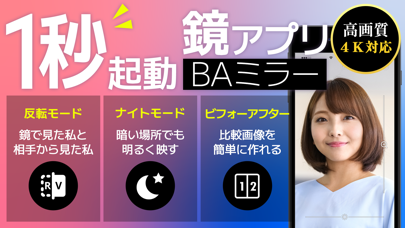
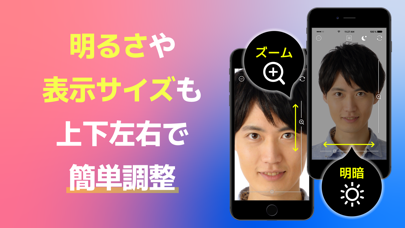
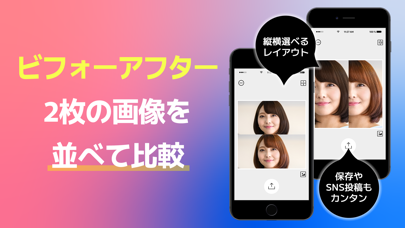
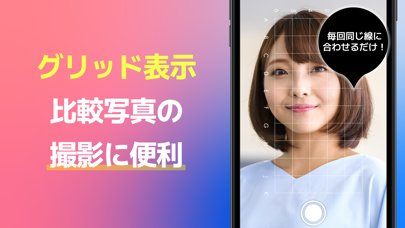
◆即起動!最短1秒以内の無料鏡(かがみ)アプリ◆ 手鏡(ハンドミラー)を持ち歩く必要はありません! 化粧直し、食後チェック、ヘアチェックなどの身だしなみを無料で簡単に確認できます! ◆無音で明るさ調整と手ブレ補正付◆ オフィスや学校、食後や電車の中など周りの目を気にせず、暗い場所でも使えるのは鏡アプリだから! ◆高画質(4K対応)◆ カメラの機能を最大限に活かして最高画質ミラーを実現! iPhone11シリーズ以降なら4Kに対応した鏡になります。 ◆リバーサルミラー(左右反転鏡)◆ ワンタップで切替可能!相手から見た自分も確認できる人気のリバーサルミラー(左右反転鏡)機能も無料です。 ◆横も後ろも見れる360度ミラー◆ 普通の鏡では見れない後ろや上からのアングルもアプリだから簡単にチェック! 見たい場所を撮影してじっくり確認可能です。 ◆ビフォーアフター画像が簡単に作れる!◆ ビフォーとアフターの写真を並べた画像を簡単に作成できます! ズーム・移動もできるので、比較したい箇所をアップで見比べることも可能。 ◆3枚以上の経過をパラパラ画…
App details
What you can learn from 鏡(かがみ)&ビフォーアフターアプリ-BAミラー
Every shipping app on the App Store has gone through the same decisions you're working through right now: which screenshot goes first, what caption sits over it, which device frame to show, what color the background should be. The 4 screenshots above are 鏡(かがみ)&ビフォーアフターアプリ-BAミラー's answers to those questions — they're public, they're real, and they made it through Apple's review.
What the numbers say: 鏡(かがみ)&ビフォーアフターアプリ-BAミラー runs a light set with one background colour (#FC848C) carried across every screenshot — the listing reads as a single poster when the shots sit side by side in search results. The accent colour we picked up, #B45464, is the one to reuse for badges, arrows and highlighted words if you borrow this look. Hit Use this style to open the editor with these exact colours and drop your own screenshot in.
Notice the first screenshot in particular. It's the one users see in search results and on the product page, and it's where most apps spend their best caption and tightest design. Look at the proportion of background to phone, where the text sits, what one thing the image is trying to communicate.
Want to see how other Health & Fitness apps approach the same problem? Browse more Health & Fitness apps in the showcase.
Take what works into your own screenshots
Open LaunchShots and design your App Store & Google Play screenshots — pick a device frame, drop captions, ship in minutes. Free, in your browser.
Open the screenshot editor →Apps with a similar look
Closest background + accent colours among the listings we've analysed — useful when you want to see the same palette handled by a different team.