Chart position — tracked daily by LaunchShots
Screenshot style breakdown
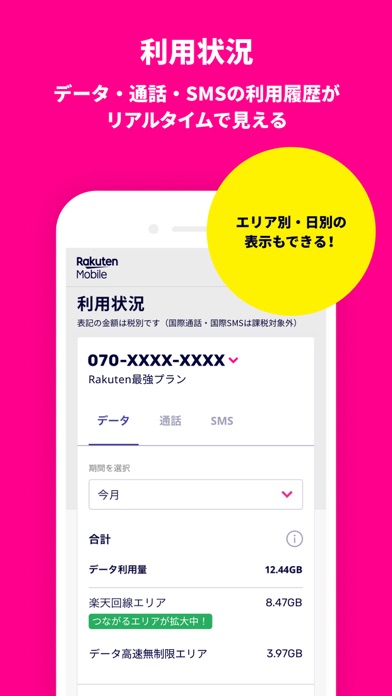
Sampled from 6 of my 楽天モバイル's App Store screenshots — background, accent and theme, measured by LaunchShots (not something Apple publishes).
#FC048C bg
#FC279C
#FCE42C accent
#FFFFFF text
Screenshots




Icon palette
About this app
【主な機能】 ■データ利用量の確認 データ残量や利用状況が、グラフでひと目で分かります。 日別のデータ利用量、通話/SMSの通信料も確認できます。 ■ご利用料金の確認 毎月のご利用料金・お支払い状況・ご利用明細がご確認できます。 毎月のお支払いに利用する楽天ポイントの設定もできます。 ■契約プラン内容の確認・変更 オプションサービスの追加お申し込み・変更ができます。また、盗難紛失時のSIM交換などもアプリからお手続き可能です。 ■サポート お客様サポートから、カテゴリー選択やキーワード検索で、お困りごとを探せます。 困った時は、チャット相談から質問もできます。 ※チャット相談は、混雑状況に応じて返信にお時間いただく場合があります。予めご了承ください。 【その他おすすめ機能】 ・SNSシェア機能 ・楽天ポイント利用設定 ・楽メールの設定変更 ・各種お手続き(SIM交換、他社への乗り換え(MNP)、利用停止、解約) ・キャリア決済 ・利用明細の確認 ・お支払い方法の設定、変更 ・アプリから最短3分で回線開通「かんたん申し込み…
App details
What you can learn from my 楽天モバイル
Every shipping app on the App Store has gone through the same decisions you're working through right now: which screenshot goes first, what caption sits over it, which device frame to show, what color the background should be. The 6 screenshots above are my 楽天モバイル's answers to those questions — they're public, they're real, and they made it through Apple's review.
What the numbers say: my 楽天モバイル runs a mixed light-and-dark set where the background shifts from screenshot to screenshot (first shot #FC048C) — each image has to stand on its own, so the captions carry more of the story. The accent colour we picked up, #FCE42C, is the one to reuse for badges, arrows and highlighted words if you borrow this look. Hit Use this style to open the editor with these exact colours and drop your own screenshot in.
Notice the first screenshot in particular. It's the one users see in search results and on the product page, and it's where most apps spend their best caption and tightest design. Look at the proportion of background to phone, where the text sits, what one thing the image is trying to communicate.
Want to see how other Utilities apps approach the same problem? Browse more Utilities apps in the showcase.
Take what works into your own screenshots
Open LaunchShots and design your App Store & Google Play screenshots — pick a device frame, drop captions, ship in minutes. Free, in your browser.
Open the screenshot editor →Apps with a similar look
Closest background + accent colours among the listings we've analysed — useful when you want to see the same palette handled by a different team.