Screenshots




Icon palette
About this app
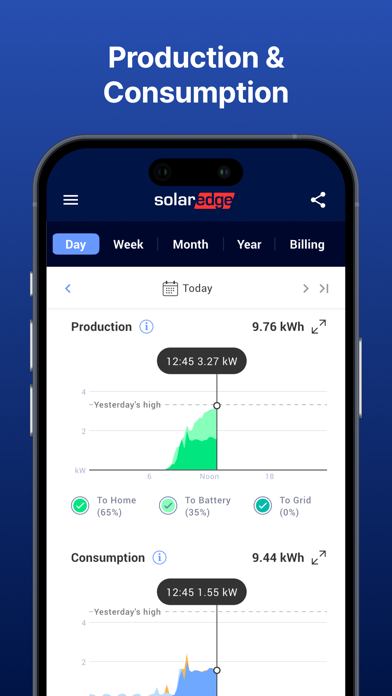
Een eenvoudige en intuïtieve manier om uw SolarEdge systeem te bewaken en te bedienen. Beheer uw SolarEdge slimme energieapparaten - altijd en overal. Gebruik mySolarEdge om uw SolarEdge ervaring en uw elektriciteitsbesparing te maximaliseren: · Volg uw energieverbruik en -productie in real-time, met mobiele-geoptimaliseerde functies. · Manieren vinden om energiezuiniger te worden · Bedien uw slimme huishoudelijke apparaten en beheer op afstand het opladen van SolarEdge EV's. · Bekijk de status van de omvormer voor zonne-energie voor een snelle probleemoplossing met behulp van stapsgewijze instructies en gemakkelijk afleesbare menu's. · Omvormercommunicatie en netwerkinstellingen instellen * Neem contact op met uw installateur om de rechten voor monitoring te verkrijgen. **Voor verbruiksmonitoring is de installatie van een consumptiemeter noodzakelijk.
App details
What you can learn from mySolarEdge
Every shipping app on the App Store has gone through the same decisions you're working through right now: which screenshot goes first, what caption sits over it, which device frame to show, what color the background should be. The 10 screenshots above are mySolarEdge's answers to those questions — they're public, they're real, and they made it through Apple's review.
Notice the first screenshot in particular. It's the one users see in search results and on the product page, and it's where most apps spend their best caption and tightest design. Look at the proportion of background to phone, where the text sits, what one thing the image is trying to communicate.
Want to see how other Utilities apps approach the same problem? Browse more Utilities apps in the showcase.
Take what works into your own screenshots
Open LaunchShots and design your App Store & Google Play screenshots — pick a device frame, drop captions, ship in minutes. Free, in your browser.
Open the screenshot editor →