Chart position — tracked daily by LaunchShots
Screenshot style breakdown
Sampled from 3 of 换机助手-腾讯通讯录相册手机搬家's App Store screenshots — background, accent and theme, measured by LaunchShots (not something Apple publishes).
#4C6CFC bg
#6580FC
#9CACFC accent
#FFFFFF text
Screenshots
Icon palette
About this app
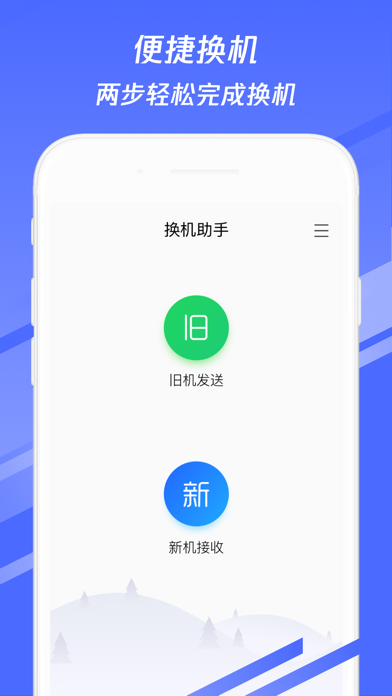
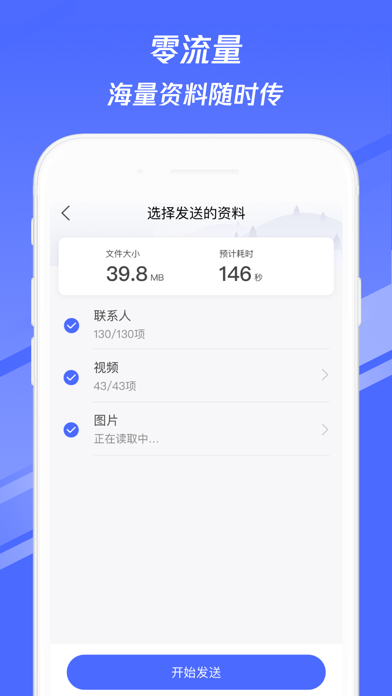
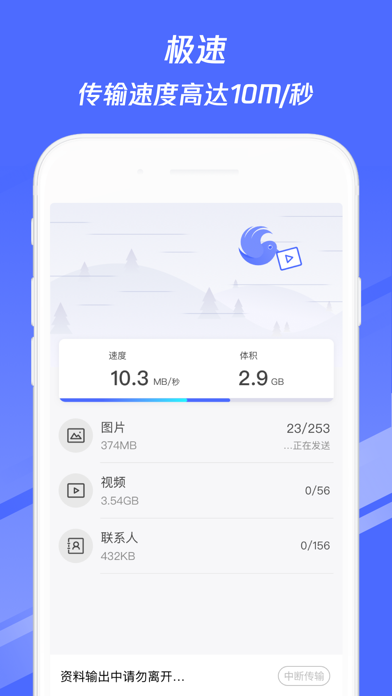
应用描述: 【换机助手,不耗流量的换机神器!】 腾讯专业团队打造,首款手机直联资料传输工具软件 两部手机无缝互联,无需网络批量操作,手机资料一键传输 -----超便捷的换机神器----- 操作简单:扫一扫轻松连接,3步完成资料传输 界面简洁:新旧机清晰标识,设计精简体验流畅 零耗流量:不耗费网络流量,免数据线隔空互传 安全保密:仅限于双机互联,全面保护手机隐私 多种类型:联系人、视频、图片、日程极速传输 -----3步极速资料传输----- 步骤1:新旧两款手机,都安装换机助手 步骤2:新机扫一扫旧机二维码,建立连接 步骤3:选择相应的文件类型,再选择搜索到的新手机,片刻完成传输! -----新功能骚扰拦截----- 来电识别:快速识别陌生来电,百万级号码库守护通话安全! 恶意来电拦截:智能拦截骚扰来电,接听电话更省心。 • 许可协议:https://sdi.3g.qq.com/v/2021090911504011004 • 隐私协议:https://privacy.qq.com/document/priview/b0254f9cfca84f868dc018331cb0369e 欢迎联系我们 微信公众号:tencenthuanji Q…
App details
What you can learn from 换机助手-腾讯通讯录相册手机搬家
Every shipping app on the App Store has gone through the same decisions you're working through right now: which screenshot goes first, what caption sits over it, which device frame to show, what color the background should be. The 3 screenshots above are 换机助手-腾讯通讯录相册手机搬家's answers to those questions — they're public, they're real, and they made it through Apple's review.
What the numbers say: 换机助手-腾讯通讯录相册手机搬家 runs a dark set with one background colour (#4C6CFC) carried across every screenshot — the listing reads as a single poster when the shots sit side by side in search results. The accent colour we picked up, #9CACFC, is the one to reuse for badges, arrows and highlighted words if you borrow this look. Hit Use this style to open the editor with these exact colours and drop your own screenshot in.
Notice the first screenshot in particular. It's the one users see in search results and on the product page, and it's where most apps spend their best caption and tightest design. Look at the proportion of background to phone, where the text sits, what one thing the image is trying to communicate.
Want to see how other Productivity apps approach the same problem? Browse more Productivity apps in the showcase.
Take what works into your own screenshots
Open LaunchShots and design your App Store & Google Play screenshots — pick a device frame, drop captions, ship in minutes. Free, in your browser.
Open the screenshot editor →Apps with a similar look
Closest background + accent colours among the listings we've analysed — useful when you want to see the same palette handled by a different team.