Screenshot style breakdown
Sampled from 6 of ComunidadFeliz's App Store screenshots — background, accent and theme, measured by LaunchShots (not something Apple publishes).
#ECF4FC bg
#CFD6DD
#4CBC8C accent
#111111 text
Screenshots




Icon palette
About this app
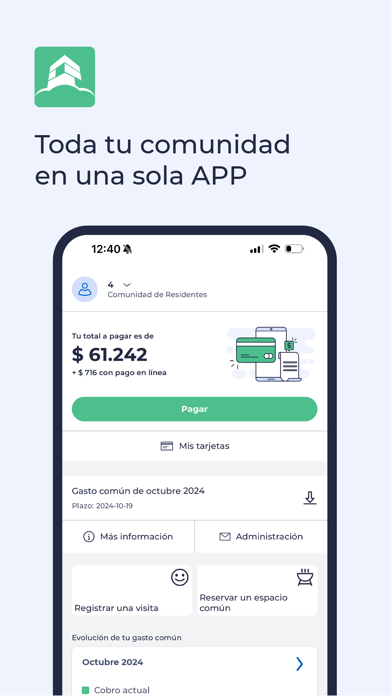
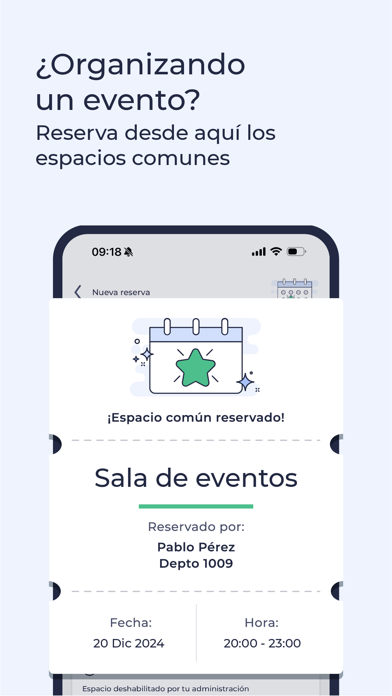
ComunidadFeliz es la aplicación de tu comunidad. ComunidadFeliz es la mejor forma de obtener información de qué está pasando en tu condominio, ver el detalle de tus gastos comunes, pagar en línea y reservar espacios comunes. Con ComunidadFeliz puedes: - Registrar la cantidad de propiedades que quieras. - Revisar el estado de cuenta y pagar en línea tus gastos comunes. - Mantener un historial seguro y descargar comprobantes de tus transacciones. - Reservar espacios comunes y enviar invitaciones por redes sociales a tus amigos. - Recibir los informativos que tu administración publica. - Contactar rápidamente a tu administración en caso de dudas. ¿Cómo comenzar a usarla? Una vez que tu condominio haya contratado el servicio ComunidadFeliz podrás descargar la aplicación, crear una cuenta y registrar todas las propiedades que tengas, no importa si eres arrendatario, dueño o inversionista.…
App details
What you can learn from ComunidadFeliz
Every shipping app on the App Store has gone through the same decisions you're working through right now: which screenshot goes first, what caption sits over it, which device frame to show, what color the background should be. The 6 screenshots above are ComunidadFeliz's answers to those questions — they're public, they're real, and they made it through Apple's review.
What the numbers say: ComunidadFeliz runs a light set with one background colour (#ECF4FC) carried across every screenshot — the listing reads as a single poster when the shots sit side by side in search results. The accent colour we picked up, #4CBC8C, is the one to reuse for badges, arrows and highlighted words if you borrow this look. Hit Use this style to open the editor with these exact colours and drop your own screenshot in.
Notice the first screenshot in particular. It's the one users see in search results and on the product page, and it's where most apps spend their best caption and tightest design. Look at the proportion of background to phone, where the text sits, what one thing the image is trying to communicate.
Want to see how other Lifestyle apps approach the same problem? Browse more Lifestyle apps in the showcase.
Take what works into your own screenshots
Open LaunchShots and design your App Store & Google Play screenshots — pick a device frame, drop captions, ship in minutes. Free, in your browser.
Open the screenshot editor →Apps with a similar look
Closest background + accent colours among the listings we've analysed — useful when you want to see the same palette handled by a different team.