Chart position — tracked daily by LaunchShots
Screenshot style breakdown
Sampled from 6 of 레드커넥트 - 300만 헌혈자를 위한 공식 헌혈 앱's App Store screenshots — background, accent and theme, measured by LaunchShots (not something Apple publishes).
#FC7C04 bg
#DD6D03
#BC3C04 accent
#111111 text
Reading the caption text from the screenshots in your browser…
Screenshots


Icon palette
About this app
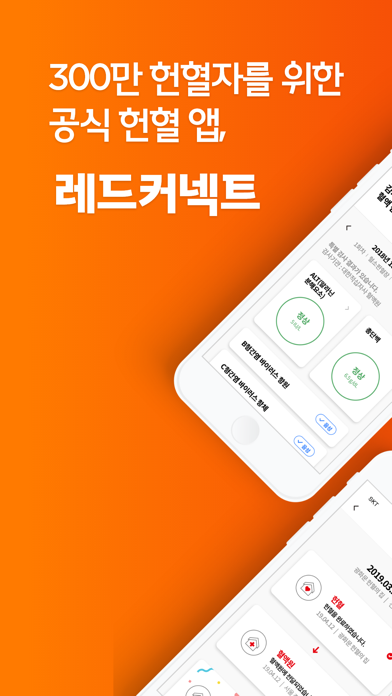
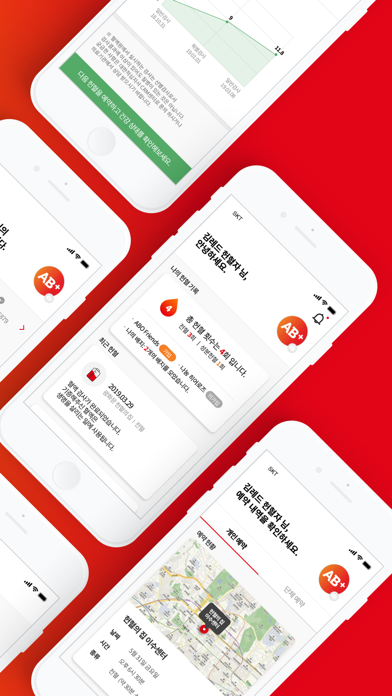
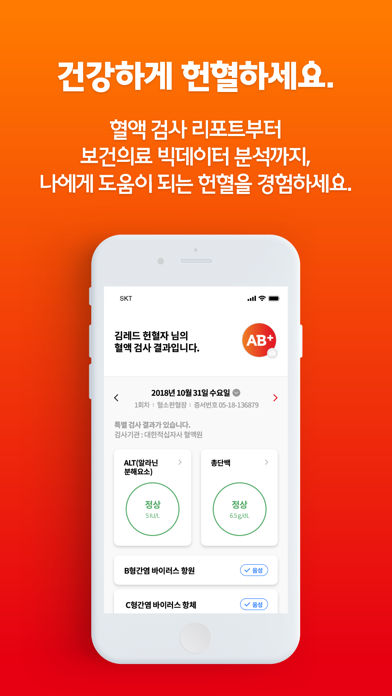
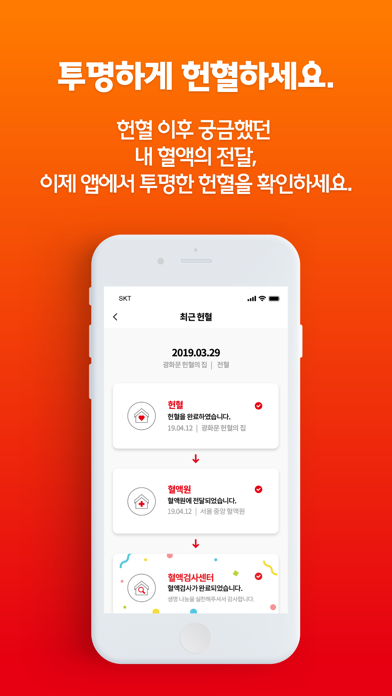
▶ 대한적십자사와 SK텔레콤이 함께 만든 공식 헌혈 앱 오픈 헌혈, 즐거운 경험이 되다. 이제 건강하게! 투명하게! 간편하게! 완전히 새로워진 헌혈 앱 ‘레드커넥트’를 만나보세요 ▶ 건강하게 헌혈하세요! 헌혈 혈액 검사를 누적하고 건강관리 서비스로 받아보세요! 혈액 리포트부터 보건의료 빅데이터 분석까지 나에게 도움이 되는 헌혈! ▶ 투명하게 헌혈하세요! 헌혈 이후 궁금했던 내 혈액의 전달! 이제 혈액의 이동 과정을 알려드려요! 헌혈의 집 -> 혈액원 -> 혈액검사 완료까지, 한눈에 체크! ▶ 간편하게 헌혈하세요! 이제 버튼 5개만으로 헌혈을 예약해 보세요 앱을 통해 전자문진도 할 수 있어요! 헌혈의 집 고르고 -> 날짜 누르고 -> 헌혈 종류와 시간 고르면 예약 끝! 레드커넥트는 내 헌혈 기록, 혈액보유 현황, 헌혈 이벤트, 헌혈의 집&버스 위치찾기 기능도 지원합니다. [수상실적] 공공데이터전략위원장상 수상 과학기술정보통신부 장관상 수상 건강보험심사평가원장상 수상 레드커넥트는 기술로 더 따뜻한 세상을 만…
App details
What you can learn from 레드커넥트 - 300만 헌혈자를 위한 공식 헌혈 앱
Every shipping app on the App Store has gone through the same decisions you're working through right now: which screenshot goes first, what caption sits over it, which device frame to show, what color the background should be. The 6 screenshots above are 레드커넥트 - 300만 헌혈자를 위한 공식 헌혈 앱's answers to those questions — they're public, they're real, and they made it through Apple's review.
What the numbers say: 레드커넥트 - 300만 헌혈자를 위한 공식 헌혈 앱 runs a mixed light-and-dark set where the background shifts from screenshot to screenshot (first shot #FC7C04) — each image has to stand on its own, so the captions carry more of the story. The accent colour we picked up, #BC3C04, is the one to reuse for badges, arrows and highlighted words if you borrow this look. Hit Use this style to open the editor with these exact colours and drop your own screenshot in.
Notice the first screenshot in particular. It's the one users see in search results and on the product page, and it's where most apps spend their best caption and tightest design. Look at the proportion of background to phone, where the text sits, what one thing the image is trying to communicate.
Want to see how other Lifestyle apps approach the same problem? Browse more Lifestyle apps in the showcase.
Take what works into your own screenshots
Open LaunchShots and design your App Store & Google Play screenshots — pick a device frame, drop captions, ship in minutes. Free, in your browser.
Open the screenshot editor →Apps with a similar look
Closest background + accent colours among the listings we've analysed — useful when you want to see the same palette handled by a different team.