Chart position — tracked daily by LaunchShots
Screenshot changes — detected by LaunchShots
Screenshot style breakdown
Sampled from 6 of 音程チェッカー チューナーやボイストレーニングに。音階を表示's App Store screenshots — background, accent and theme, measured by LaunchShots (not something Apple publishes).
#040404 bg
#272727
#FC944C accent
#FFFFFF text
Reading the caption text from the screenshots in your browser…
Screenshots



iPad screenshots


Icon palette
About this app
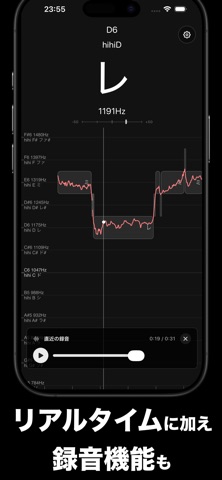
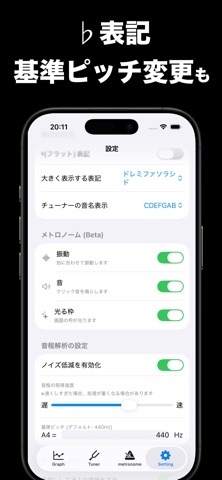
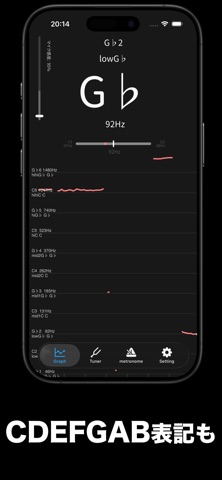
リアルタイムでマイクからの音を解析し、 音階・音高・音程、オクターブ、周波数、波形 を表示します。 さらに、メトロノーム機能(ベータ)を搭載。 テンポを設定し、音や振動でリズムを確認しながら練習できます。 ■ 使用例 ・音域を測定 ・絶対音感の練習 ・歌の音階判定(音程判定) ・発声練習 ・カラオケの練習 ・音痴の矯正 ・周波数の計測 ・ボイストレーニング ・楽器の簡単な チューニング ( チューナー として) ・ドレミの判定 ・リズム練習(メトロノーム機能) タップで一時停止できるため、解析結果をゆっくり確認できます。 lowAやmid2A,hihiAなどといった表示にも対応しています。 ■ 使い方 アプリを起動するだけで、声や楽器など、マイクから取得した音の音程を測定します。 小さい音やノイズを拾わないようにするには、画面左上側の「マイク感度」のバーを上にスライドさせます。 メトロノーム機能は、テンポを設定するだけでご利用いただけます。 ■ 設定 右上の歯車マーク等から、以下の設定をすることができます。 ・シャープ、フラット表記の切…
App details
What you can learn from 音程チェッカー チューナーやボイストレーニングに。音階を表示
Every shipping app on the App Store has gone through the same decisions you're working through right now: which screenshot goes first, what caption sits over it, which device frame to show, what color the background should be. The 12 screenshots above are 音程チェッカー チューナーやボイストレーニングに。音階を表示's answers to those questions — they're public, they're real, and they made it through Apple's review.
What the numbers say: 音程チェッカー チューナーやボイストレーニングに。音階を表示 runs a dark set with one background colour (#040404) carried across every screenshot — the listing reads as a single poster when the shots sit side by side in search results. The accent colour we picked up, #FC944C, is the one to reuse for badges, arrows and highlighted words if you borrow this look. Hit Use this style to open the editor with these exact colours and drop your own screenshot in.
Notice the first screenshot in particular. It's the one users see in search results and on the product page, and it's where most apps spend their best caption and tightest design. Look at the proportion of background to phone, where the text sits, what one thing the image is trying to communicate.
Want to see how other Music apps approach the same problem? Browse more Music apps in the showcase.
Take what works into your own screenshots
Open LaunchShots and design your App Store & Google Play screenshots — pick a device frame, drop captions, ship in minutes. Free, in your browser.
Open the screenshot editor →Apps with a similar look
Closest background + accent colours among the listings we've analysed — useful when you want to see the same palette handled by a different team.