Chart position — tracked daily by LaunchShots
Screenshot style breakdown
Sampled from 3 of スクリレ's App Store screenshots — background, accent and theme, measured by LaunchShots (not something Apple publishes).
#FCFCFC bg
#DDDDDD
#4CA4FC accent
#111111 text
Screenshots
iPad screenshots


Icon palette
About this app
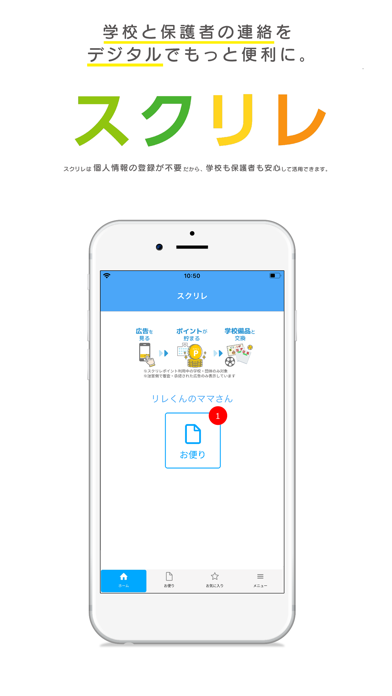
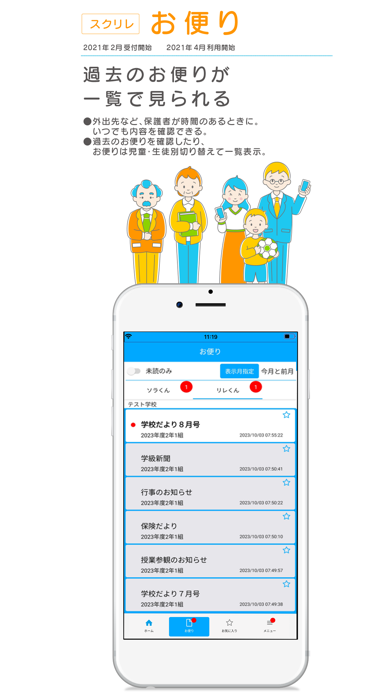
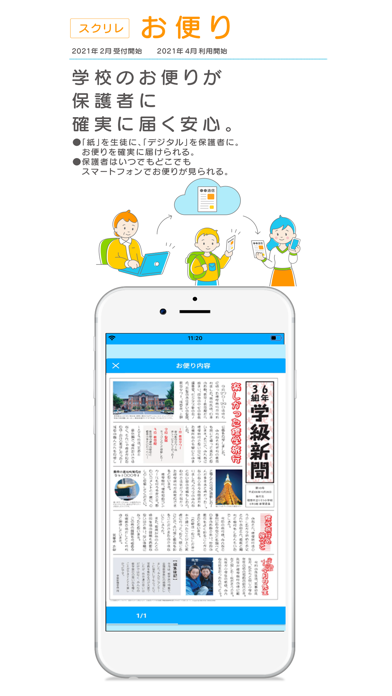
「スクリレ」は、学校と保護者の連絡手段をデジタル化するサービスです。保護者向けの広告活動の収益を学校が使う物品に変えて還元し、学校の教育活動を応援できます。 最大の特徴は「スクリレポイント」のサービスと「個人情報を取り扱わない」ことです。 「スクリレポイント」は、広告活動で学校の教育活動を応援することができる社会貢献型のサービスです。 そして、「スクリレ」は全てのサービスを通じて、保護者のメールアドレスやSNSアカウントなどの「個人情報」を取り扱うことはありません。これにより、先生と保護者の負担やリスクを大幅に軽減できます。広告掲載においてもスマホ端末から得る個人の情報を扱いません。 *ーーーーーーーーーーーーーーーーーーー* ニーズに応じた3つのサービス *ーーーーーーーーーーーーーーーーーーー* ①スクリレお便り 学校やPTAが配布する「お便り」を、デジタルで保護者のスマートフォンへ確実に届け、保護者はいつでもどこでも確認できます。 ②スクリレポイント 保護者がアプリ上で任意に広告を閲覧する…
App details
What you can learn from スクリレ
Every shipping app on the App Store has gone through the same decisions you're working through right now: which screenshot goes first, what caption sits over it, which device frame to show, what color the background should be. The 6 screenshots above are スクリレ's answers to those questions — they're public, they're real, and they made it through Apple's review.
What the numbers say: スクリレ runs a light set with one background colour (#FCFCFC) carried across every screenshot — the listing reads as a single poster when the shots sit side by side in search results. The accent colour we picked up, #4CA4FC, is the one to reuse for badges, arrows and highlighted words if you borrow this look. Hit Use this style to open the editor with these exact colours and drop your own screenshot in.
Notice the first screenshot in particular. It's the one users see in search results and on the product page, and it's where most apps spend their best caption and tightest design. Look at the proportion of background to phone, where the text sits, what one thing the image is trying to communicate.
Want to see how other Utilities apps approach the same problem? Browse more Utilities apps in the showcase.
Take what works into your own screenshots
Open LaunchShots and design your App Store & Google Play screenshots — pick a device frame, drop captions, ship in minutes. Free, in your browser.
Open the screenshot editor →Apps with a similar look
Closest background + accent colours among the listings we've analysed — useful when you want to see the same palette handled by a different team.