Chart position — tracked daily by LaunchShots
Screenshot changes — detected by LaunchShots
Screenshot style breakdown
Sampled from 6 of 베이키 - 산돌구름 모바일 폰트 앱의 새로운 이름's App Store screenshots — background, accent and theme, measured by LaunchShots (not something Apple publishes).
#FCECEC bg
#DDCFCF
#FC0444 accent
#111111 text
Reading the caption text from the screenshots in your browser…
Screenshots


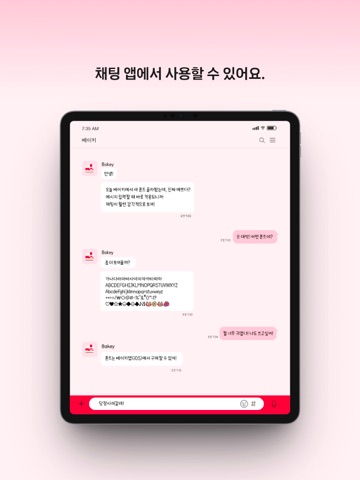
iPad screenshots



Icon palette
About this app
산돌구름 모바일 앱이 ‘베이키’로 이름이 변경되었습니다. 산돌에서 제공하는 모바일 폰트 앱, 베이키를 만나보세요. ∙ 매월 50종 이상 새로운 폰트가 출시돼요. - 홈에서 새로운 폰트를 바로 만날 수 있어요. 탐색 메뉴에서 카테고리별, 브랜드별 인기 폰트, 최신 폰트를 한눈에 확인할 수 있어요. 탐색 메뉴의 필터를 통해 나만의 취향인 폰트를 쉽게 찾을 수 있어요. ∙ 로그인만 하면 1,000종 이상의 무료폰트를 사용할 수 있어요. - 무료폰트 메뉴에서 클릭 한 번으로 폰트를 활성화·비활성화할 수 있어요. 활성화된 폰트는 [아이폰 또는 아이패드-설정 앱-일반-서체-나의 서체]에서 확인할 수 있어요. ∙ 구매한 폰트나 무료폰트는 카카오톡, 굿노트, VLLO, MS Word 등에서 사용할 수 있어요. - 구매한 폰트는 내폰트 메뉴에서 확인할 수 있고, 활성화·비활성화할 수 있어요. 활성화된 폰트는 카카오톡, 굿노트, VLLO, MS Word와 같은 메신저, 필기 노트, 영상 편집, 디자인 및 드로잉, 문서 편집 등의 앱에서 사용할 수 있어요. 더 많은 앱은 홈 하단에 ‘…
App details
What you can learn from 베이키 - 산돌구름 모바일 폰트 앱의 새로운 이름
Every shipping app on the App Store has gone through the same decisions you're working through right now: which screenshot goes first, what caption sits over it, which device frame to show, what color the background should be. The 18 screenshots above are 베이키 - 산돌구름 모바일 폰트 앱의 새로운 이름's answers to those questions — they're public, they're real, and they made it through Apple's review.
What the numbers say: 베이키 - 산돌구름 모바일 폰트 앱의 새로운 이름 runs a light set with one background colour (#FCECEC) carried across every screenshot — the listing reads as a single poster when the shots sit side by side in search results. The accent colour we picked up, #FC0444, is the one to reuse for badges, arrows and highlighted words if you borrow this look. Hit Use this style to open the editor with these exact colours and drop your own screenshot in.
Notice the first screenshot in particular. It's the one users see in search results and on the product page, and it's where most apps spend their best caption and tightest design. Look at the proportion of background to phone, where the text sits, what one thing the image is trying to communicate.
Want to see how other Productivity apps approach the same problem? Browse more Productivity apps in the showcase.
Take what works into your own screenshots
Open LaunchShots and design your App Store & Google Play screenshots — pick a device frame, drop captions, ship in minutes. Free, in your browser.
Open the screenshot editor →Apps with a similar look
Closest background + accent colours among the listings we've analysed — useful when you want to see the same palette handled by a different team.