Chart position — tracked daily by LaunchShots
Screenshot changes — detected by LaunchShots
Screenshot style breakdown
Sampled from 6 of Awarefy:AIメンタルパートナー・自己理解&セルフケア's App Store screenshots — background, accent and theme, measured by LaunchShots (not something Apple publishes).
#FCFCFC bg
#DDDDDD
#044474 accent
#111111 text
Screenshots




Icon palette
About this app
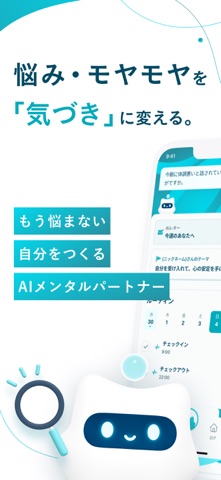
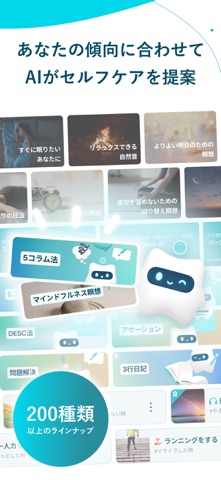
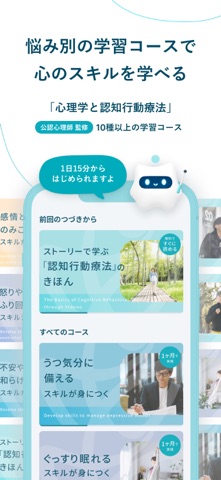
毎日に寄りそい 気づきを増やす AIメンタルパートナー 『Awarefy(アウェアファイ)』 AIメンタルパートナーが、あなたのメンタルヘルスをサポートします。認知行動療法やマインドフルネスなど心理学に基づく充実の機能を搭載し、感情の可視化やストレスケア、心理学の学習によって、心の健康と成長にやさしくより添います。 日々の記録・思考や感情の可視化、悩み相談、認知行動療法の実践型学習コース、300種類以上の瞑想、睡眠、自然音などの音声ガイドも充実。 その他、ストレス対処・メンタルケア・目標達成のための機能なども豊富に完備。 あなたを理解し、寄りそう『Awarefy(アウェアファイ)』をぜひお試しください。 ■Awarefyのおすすめ機能(一部抜粋) ①自己理解 ・AIチャット機能…愚痴や悩み相談ができる&アドバイスもくれる ・AIノート機能…思考や感情を書き出して視点を広げる ・AIコメント…客観的な視点で気づきを得る ・AIヒント…自分では考えつかない発想を取り入れる ・AIじぶん分析…相談ログからAIが自分の傾向を可視化 ②…
App details
What you can learn from Awarefy:AIメンタルパートナー・自己理解&セルフケア
Every shipping app on the App Store has gone through the same decisions you're working through right now: which screenshot goes first, what caption sits over it, which device frame to show, what color the background should be. The 8 screenshots above are Awarefy:AIメンタルパートナー・自己理解&セルフケア's answers to those questions — they're public, they're real, and they made it through Apple's review.
What the numbers say: Awarefy:AIメンタルパートナー・自己理解&セルフケア runs a light set with one background colour (#FCFCFC) carried across every screenshot — the listing reads as a single poster when the shots sit side by side in search results. The accent colour we picked up, #044474, is the one to reuse for badges, arrows and highlighted words if you borrow this look. Hit Use this style to open the editor with these exact colours and drop your own screenshot in.
Notice the first screenshot in particular. It's the one users see in search results and on the product page, and it's where most apps spend their best caption and tightest design. Look at the proportion of background to phone, where the text sits, what one thing the image is trying to communicate.
Want to see how other Health & Fitness apps approach the same problem? Browse more Health & Fitness apps in the showcase.
Take what works into your own screenshots
Open LaunchShots and design your App Store & Google Play screenshots — pick a device frame, drop captions, ship in minutes. Free, in your browser.
Open the screenshot editor →Apps with a similar look
Closest background + accent colours among the listings we've analysed — useful when you want to see the same palette handled by a different team.