Chart position — tracked daily by LaunchShots
Screenshot changes — detected by LaunchShots
Screenshot style breakdown
Sampled from 6 of ทางรัฐ's App Store screenshots — background, accent and theme, measured by LaunchShots (not something Apple publishes).
#FCFCFC bg
#DDDDDD
#FCF404 accent
#111111 text
Screenshots




Icon palette
About this app
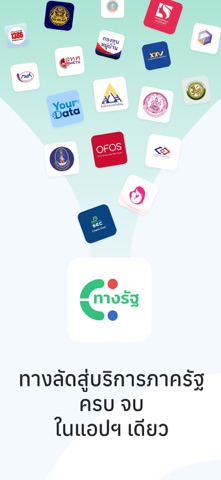
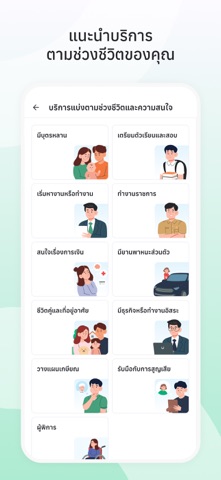
ทางรัฐ ซูเปอร์แอปที่รวบรวมบริการจากหน่วยงานภาครัฐไว้ในที่เดียว ช่วยให้เข้าถึงบริการของรัฐได้สะดวก รวดเร็ว และปลอดภัยผ่านช่องทางดิจิทัล พัฒนาโดย สำนักงานพัฒนารัฐบาลดิจิทัล (องค์การมหาชน) หรือ DGA ภายใต้การขับเคลื่อนรัฐบาลดิจิทัลตาม พระราชบัญญัติการบริหารงานและการให้บริการภาครัฐผ่านระบบดิจิทัล พ.ศ. 2562 (พ.ร.บ. DG) เพื่ออำนวยความสะดวกในการรับบริการ พร้อมยกระดับประสิทธิภาพการทำงานของภาครัฐ ผ่านโครงสร้างพื้นฐานดิจิทัลที่ได้รับการพัฒนาและสานต่อมาอย่างต่อเนื่องในระดับประเทศ มั่นใจด้วยมาตรฐาน ISO/IEC 27001:2022 ด้านระบบบริหารจัดการความมั่นคงปลอดภัยสารสนเทศทางไซเบอร์ (Information Security Management System) ประชาชนจึงมั่นใจได้ว่า แอปทางรัฐเป็นแอปของภาครัฐ 100% ที่น่าเชื่อถือ มีการรักษาความมั่นคงปลอดภัยของระบบและข้อมูลส่วนบุคคลตาม พ.ร.บ. คุ้มครองข้อมูลส่วนบุคคล พ.ศ. 2562 และกฎหมายอื่นที่เกี่ยวข้อง โดยผู้ใช้งานจะต้องมีการลงทะเบียน และพิสูจน์และยืนยันตัวตน (KYC) เช่นเดียวกับแอปฯ ของธนาคาร ทั้งการ…
App details
What you can learn from ทางรัฐ
Every shipping app on the App Store has gone through the same decisions you're working through right now: which screenshot goes first, what caption sits over it, which device frame to show, what color the background should be. The 7 screenshots above are ทางรัฐ's answers to those questions — they're public, they're real, and they made it through Apple's review.
What the numbers say: ทางรัฐ runs a light set with one background colour (#FCFCFC) carried across every screenshot — the listing reads as a single poster when the shots sit side by side in search results. The accent colour we picked up, #FCF404, is the one to reuse for badges, arrows and highlighted words if you borrow this look. Hit Use this style to open the editor with these exact colours and drop your own screenshot in.
Notice the first screenshot in particular. It's the one users see in search results and on the product page, and it's where most apps spend their best caption and tightest design. Look at the proportion of background to phone, where the text sits, what one thing the image is trying to communicate.
Want to see how other Productivity apps approach the same problem? Browse more Productivity apps in the showcase.
Take what works into your own screenshots
Open LaunchShots and design your App Store & Google Play screenshots — pick a device frame, drop captions, ship in minutes. Free, in your browser.
Open the screenshot editor →Apps with a similar look
Closest background + accent colours among the listings we've analysed — useful when you want to see the same palette handled by a different team.