Screenshot style breakdown
Sampled from 5 of PyPie - Python语言编程入门's App Store screenshots — background, accent and theme, measured by LaunchShots (not something Apple publishes).
#34B49C bg
#2D9E89
#84D4C4 accent
#111111 text
- #3题解 = HHH Q
Captions read from the screenshots (OCR, may contain small errors): 1 headline, 4 words on average (longest 4), mostly ALL CAPS.
Screenshots
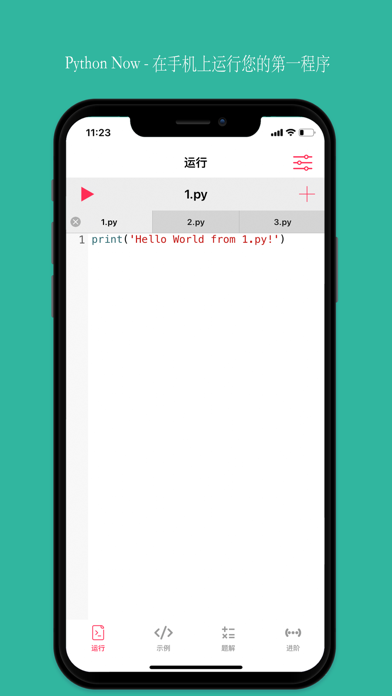

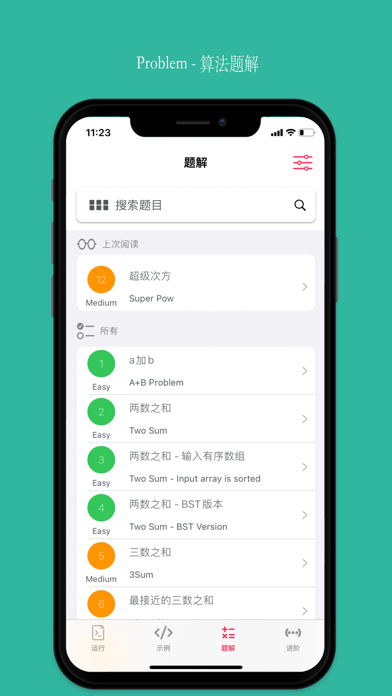


iPad screenshots


Icon palette
About this app
PyPie - Python is as good as Pie 在手机上运行Python代码,学习各种Python课程 PyPie是一个帮助您更好更快地学习Python的应用,主要包含以下功能: 1. 编辑器 集成了Python编译器,可离线编译和运行Python代码 2. 示例 提供Pyhton语言的核心库主要知识点示例代码,搭配图文讲解更生动 3. 算法与题解 数据结构与算法分析教程带你进入更高深的计算机世界,精选了150+算法题解,并提供Python代码示例 4. 教程 微课浓缩了Pyhton语言的精华知识点进行讲解,并提供课后复习题 经典的学习教程《简明 Python 教程》,内容基于 [知识共享 署名-相同方式共享 国际 4.0 协议(CC BY-SA Intl. 4.0)](http://creativecommons.org/licenses/by-sa/4.0/) 在 [《A Byte of Python》中译版《简明 Python 教程》](https://bop.mol.uno/) 结构上进行排版与改写。 App使用的Python版本为 Python 3.14(BeeWare Python-Apple-support 3.14-b10 预编译 XCFramework),所有代码均测试通过。 隐私政策: https://devler.cn/zh/privacy 服务条款: https://devler.cn/zh/agreement
App details
What you can learn from PyPie - Python语言编程入门
Every shipping app on the App Store has gone through the same decisions you're working through right now: which screenshot goes first, what caption sits over it, which device frame to show, what color the background should be. The 10 screenshots above are PyPie - Python语言编程入门's answers to those questions — they're public, they're real, and they made it through Apple's review.
What the numbers say: PyPie - Python语言编程入门 runs a light set with one background colour (#34B49C) carried across every screenshot — the listing reads as a single poster when the shots sit side by side in search results. The accent colour we picked up, #84D4C4, is the one to reuse for badges, arrows and highlighted words if you borrow this look. Hit Use this style to open the editor with these exact colours and drop your own screenshot in.
Notice the first screenshot in particular. It's the one users see in search results and on the product page, and it's where most apps spend their best caption and tightest design. Look at the proportion of background to phone, where the text sits, what one thing the image is trying to communicate.
Want to see how other Developer Tools apps approach the same problem? Browse more Developer Tools apps in the showcase.
Take what works into your own screenshots
Open LaunchShots and design your App Store & Google Play screenshots — pick a device frame, drop captions, ship in minutes. Free, in your browser.
Open the screenshot editor →Apps with a similar look
Closest background + accent colours among the listings we've analysed — useful when you want to see the same palette handled by a different team.