Chart position — tracked daily by LaunchShots
Screenshot style breakdown
Sampled from 5 of ナルミヤ公式アプリ's App Store screenshots — background, accent and theme, measured by LaunchShots (not something Apple publishes).
#F4F4F4 bg
#D6D6D6
#042C7C accent
#111111 text
Reading the caption text from the screenshots in your browser…
Screenshots




Icon palette
About this app
プティマイン、ラブトキシック、メゾ ピアノなどキッズファッション通販サイト ナルミヤオンラインの公式アプリ。 お店でポイントが貯まる・使える 会員証機能とオンラインショッピング機能をひとつに、便利にお買い物できます。 ■会員証機能 スマホを見せるだけで、簡単にポイントをためたり使用したりすることができます。 また、保有ポイントやステージも確認できます。 ■お気に入り登録 アイテムやブランドを登録すると、新着アイテム、値下げ、在庫わずか など通知が届き、自分だけのアイテムリストで管理できます。 ■ニュース 新着商品情報やお得なキャンペーン情報をお届けします。 ■ブランド一覧 petit main プティマイン petit main LIEN プティマイン リアン Lycee mine リセマインLovetoxic ラブトキシック b・ROOM ビールーム mezzo piano メゾピアノ kladskap クレードスコープ sense of wonder センスオブワンダー baby cheer ベイビーチアー Love & Peace & Money ラブ&ピース&マネー Sophie la girafe キリンのソフィー kate spade new york …
App details
What you can learn from ナルミヤ公式アプリ
Every shipping app on the App Store has gone through the same decisions you're working through right now: which screenshot goes first, what caption sits over it, which device frame to show, what color the background should be. The 5 screenshots above are ナルミヤ公式アプリ's answers to those questions — they're public, they're real, and they made it through Apple's review.
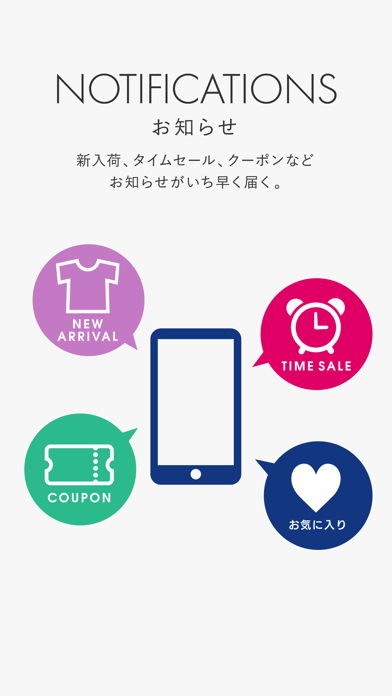
What the numbers say: ナルミヤ公式アプリ runs a light set with one background colour (#F4F4F4) carried across every screenshot — the listing reads as a single poster when the shots sit side by side in search results. The accent colour we picked up, #042C7C, is the one to reuse for badges, arrows and highlighted words if you borrow this look. Hit Use this style to open the editor with these exact colours and drop your own screenshot in.
Notice the first screenshot in particular. It's the one users see in search results and on the product page, and it's where most apps spend their best caption and tightest design. Look at the proportion of background to phone, where the text sits, what one thing the image is trying to communicate.
Want to see how other Shopping apps approach the same problem? Browse more Shopping apps in the showcase.
Take what works into your own screenshots
Open LaunchShots and design your App Store & Google Play screenshots — pick a device frame, drop captions, ship in minutes. Free, in your browser.
Open the screenshot editor →Apps with a similar look
Closest background + accent colours among the listings we've analysed — useful when you want to see the same palette handled by a different team.