Chart position — tracked daily by LaunchShots
Screenshot changes — detected by LaunchShots
Screenshot style breakdown
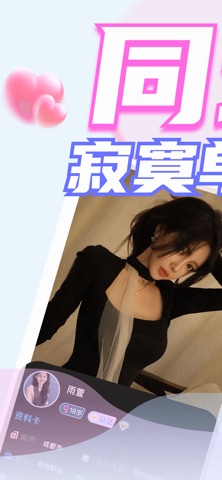
Sampled from 6 of 同城聊骚-不闲聊,直接约!'s App Store screenshots — background, accent and theme, measured by LaunchShots (not something Apple publishes).
#ECF4FC bg
#CFD6DD
#FC6CE4 accent
#111111 text
Screenshots


Icon palette
About this app
你的专属社交乐园!厌倦了无效社交?渴望找到灵魂共鸣的伙伴?这款软件为你提供多样玩法。同城聊天让你和同城好友轻松畅聊;AI 交友通过智能算法,精准推送契合的有缘人;兴趣匹配基于你的爱好,帮你结识同好,一起探讨热爱;约玩互动能快速组队,无论是密室逃脱还是户外骑行,都能一键约起;动态展示区,你可以尽情分享生活日常,记录高光时刻,吸引志同道合的朋友。快来加入,邂逅属于你的精彩社交生活! *订阅价格:订阅提供月、周时间段的VIP服务. 【订阅管理】当你确认购买时以及每个续订期开始时, 订阅款项将从你的iTunes账户中扣除;您可通过前往 iTunes 帐户设置并取消订阅的方式,随时取消您的订阅或试用,否则将自动续订。此操作必须在试用期或任何订阅期结束前 24 小时完成以避免被扣费。包含试用期的订阅将自动续订为付费订阅。 隐私协议 https://docs.qq.com/doc/p/e2f104ef919ebae1a350a6382906e413576ddc6c?nlc=1 用户协议 https://docs.qq.com/doc/p/7e322e454fc52b6b457ae35543f22d5ee36d4a45?nlc=1 包月协议 https://docs.qq.com/doc/p/442b23713…
App details
What you can learn from 同城聊骚-不闲聊,直接约!
Every shipping app on the App Store has gone through the same decisions you're working through right now: which screenshot goes first, what caption sits over it, which device frame to show, what color the background should be. The 7 screenshots above are 同城聊骚-不闲聊,直接约!'s answers to those questions — they're public, they're real, and they made it through Apple's review.
What the numbers say: 同城聊骚-不闲聊,直接约! runs a mixed light-and-dark set where the background shifts from screenshot to screenshot (first shot #ECF4FC) — each image has to stand on its own, so the captions carry more of the story. The accent colour we picked up, #FC6CE4, is the one to reuse for badges, arrows and highlighted words if you borrow this look. Hit Use this style to open the editor with these exact colours and drop your own screenshot in.
Notice the first screenshot in particular. It's the one users see in search results and on the product page, and it's where most apps spend their best caption and tightest design. Look at the proportion of background to phone, where the text sits, what one thing the image is trying to communicate.
Want to see how other Social Networking apps approach the same problem? Browse more Social Networking apps in the showcase.
Take what works into your own screenshots
Open LaunchShots and design your App Store & Google Play screenshots — pick a device frame, drop captions, ship in minutes. Free, in your browser.
Open the screenshot editor →Apps with a similar look
Closest background + accent colours among the listings we've analysed — useful when you want to see the same palette handled by a different team.