Chart position — tracked daily by LaunchShots
Screenshot changes — detected by LaunchShots
Screenshot style breakdown
Sampled from 6 of メモ帳 シンプルな付箋メモアプリ・ホーム画面に貼れるノート's App Store screenshots — background, accent and theme, measured by LaunchShots (not something Apple publishes).
#E4F4FC bg
#C8D6DD
#54ACF4 accent
#111111 text
Reading the caption text from the screenshots in your browser…
Screenshots


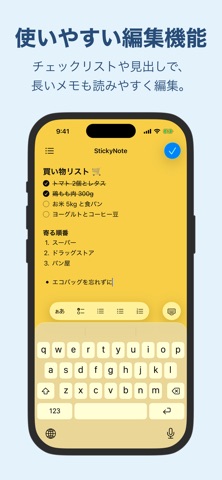


iPad screenshots


Icon palette
About this app
StickyNoteは付箋のように使えるメモ帳アプリです。 メモをホーム画面に貼れるので、いつでもメモを見たり、ワンタッチで編集できます。 チェックリストや箇条書き、番号付きリスト、見出しにも対応。買い物リストやToDoリスト、タスク管理やスケジュール管理まで、これ1つで整理できます。 とても使いやすいアプリになっているので、ぜひ一度お試しいただけると嬉しいです。 ■ アプリの特徴 - メモをホーム画面やロック画面に貼っていつでも確認、すぐにアクセス - 選んだメモをロック画面に大きく表示。ロックを解除せずに読めます - チェックリストで買い物や持ち物を管理。ウィジェットのままタップでチェックできます - 用途別にメモを貼れば、仕事や勉強のTodo管理にも最適です - 背景をカラーや写真でカスタマイズして、自分だけのメモ帳を作れます - 可愛いフォントにしたり、文字の大きさを自由にカスタマイズできます ■ リストと見出しで、メモを見やすく整理 買い物リストやToDoリスト、持ち物リストは、チェックリストで管理できます。 チェック…
App details
What you can learn from メモ帳 シンプルな付箋メモアプリ・ホーム画面に貼れるノート
Every shipping app on the App Store has gone through the same decisions you're working through right now: which screenshot goes first, what caption sits over it, which device frame to show, what color the background should be. The 13 screenshots above are メモ帳 シンプルな付箋メモアプリ・ホーム画面に貼れるノート's answers to those questions — they're public, they're real, and they made it through Apple's review.
What the numbers say: メモ帳 シンプルな付箋メモアプリ・ホーム画面に貼れるノート runs a light set with one background colour (#E4F4FC) carried across every screenshot — the listing reads as a single poster when the shots sit side by side in search results. The accent colour we picked up, #54ACF4, is the one to reuse for badges, arrows and highlighted words if you borrow this look. Hit Use this style to open the editor with these exact colours and drop your own screenshot in.
Notice the first screenshot in particular. It's the one users see in search results and on the product page, and it's where most apps spend their best caption and tightest design. Look at the proportion of background to phone, where the text sits, what one thing the image is trying to communicate.
Want to see how other Productivity apps approach the same problem? Browse more Productivity apps in the showcase.
Take what works into your own screenshots
Open LaunchShots and design your App Store & Google Play screenshots — pick a device frame, drop captions, ship in minutes. Free, in your browser.
Open the screenshot editor →Apps with a similar look
Closest background + accent colours among the listings we've analysed — useful when you want to see the same palette handled by a different team.