Screenshots

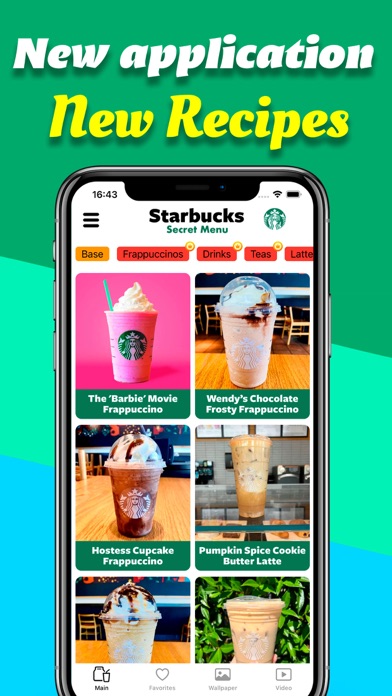


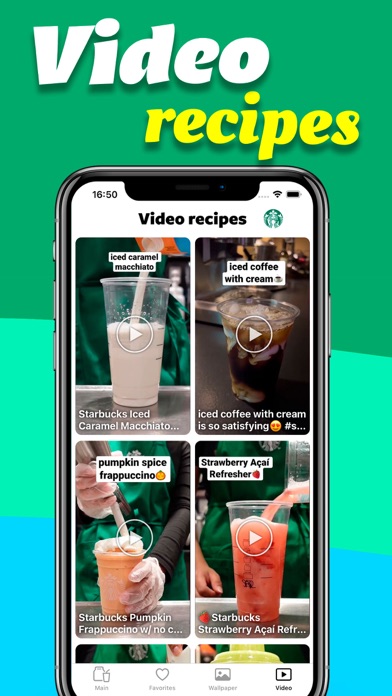


Icon palette
About this app
Hello, dear lovers of exotic drinks! Welcome to the "Starbucks Secret Menu," also known as the "Hidden Menu." Dive into a world of delightful and unique beverages that you can easily recreate in your kitchen. Our app unveils eight tantalizing menu categories: "FRAPPUCCINO," "DRINKS," "TEA," "LATTE," "FRESHERS," "MACCHIATOS," "HOT CHOCOLATE," and "SMOOTHIES." Each category is packed with recipes for delicious drinks that will awaken your taste buds and ignite your creativity. Once you try one, you’ll be hooked—they’re just that irresistible! And if you fall in love with a recipe, you can save it to your favorites for quick access or share it with your friends, loved ones, or even the whole world through social media. Spread the joy, and watch as the World thanks you. New Feature! Our app now includes an AI-powered Starbucks drink identifier. Simply snap a photo of your drink, and the A…
App details
What you can learn from Starbucks secret menu!
Every shipping app on the App Store has gone through the same decisions you're working through right now: which screenshot goes first, what caption sits over it, which device frame to show, what color the background should be. The 7 screenshots above are Starbucks secret menu!'s answers to those questions — they're public, they're real, and they made it through Apple's review.
Notice the first screenshot in particular. It's the one users see in search results and on the product page, and it's where most apps spend their best caption and tightest design. Look at the proportion of background to phone, where the text sits, what one thing the image is trying to communicate.
Want to see how other Food & Drink apps approach the same problem? Browse more Food & Drink apps in the showcase.
Take what works into your own screenshots
Open LaunchShots and design your App Store & Google Play screenshots — pick a device frame, drop captions, ship in minutes. Free, in your browser.
Open the screenshot editor →