Chart position — tracked daily by LaunchShots
Screenshot style breakdown
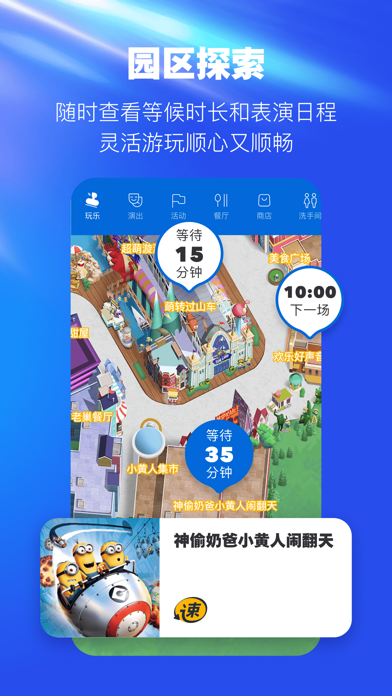
Sampled from 6 of 北京环球度假区's App Store screenshots — background, accent and theme, measured by LaunchShots (not something Apple publishes).
#244CEC bg
#4265EE
#043494 accent
#FFFFFF text
Screenshots




Icon palette
About this app
下载北京环球度假区官方App,一键玩转7大主题景区:哈利·波特的魔法世界™、变形金刚基地、功夫熊猫盖世之地、好莱坞、未来水世界、小黄人乐园、侏罗纪世界努布拉岛。 打卡游乐项目、观看精彩演出、提前规划游园……更多精彩,等你一起发现! 【功能介绍】 北京环球度假区官方App提供门票购买、酒店预订、地图导览、园区信息在线查询、游乐设施等候时间及演出时间查询、游玩攻略推荐等功能,为你提供多元化在线服务,提升您的游玩体验! 同时也可随时了解实时入园防控要求,安全防疫,健康出行。 - 门票购买:点击「首页」- 「在线购票」或「商城」- 「门票」,即可选择购买不同日期的北京环球影城指定日门票 - 官方度假酒店预订:点击「商城」- 「酒店」,可预订北京环球度假区2家酒店,享沉浸式中西度假体验,更有机会享提前入园礼遇 - 地图导览:点击「地图」,可定位玩乐、演出、餐厅、商店、酒店等,让您游园更轻松 - 园区信息查询:点击「首页」,可查看园区开放时间、主题故事、游客服务等园区信息 - 游乐设施等候时间查询:点击「地图」- 「玩乐」,可查看游乐…
App details
What you can learn from 北京环球度假区
Every shipping app on the App Store has gone through the same decisions you're working through right now: which screenshot goes first, what caption sits over it, which device frame to show, what color the background should be. The 7 screenshots above are 北京环球度假区's answers to those questions — they're public, they're real, and they made it through Apple's review.
What the numbers say: 北京环球度假区 runs a dark set with one background colour (#244CEC) carried across every screenshot — the listing reads as a single poster when the shots sit side by side in search results. The accent colour we picked up, #043494, is the one to reuse for badges, arrows and highlighted words if you borrow this look. Hit Use this style to open the editor with these exact colours and drop your own screenshot in.
Notice the first screenshot in particular. It's the one users see in search results and on the product page, and it's where most apps spend their best caption and tightest design. Look at the proportion of background to phone, where the text sits, what one thing the image is trying to communicate.
Want to see how other Travel apps approach the same problem? Browse more Travel apps in the showcase.
Take what works into your own screenshots
Open LaunchShots and design your App Store & Google Play screenshots — pick a device frame, drop captions, ship in minutes. Free, in your browser.
Open the screenshot editor →Apps with a similar look
Closest background + accent colours among the listings we've analysed — useful when you want to see the same palette handled by a different team.