Chart position — tracked daily by LaunchShots
Screenshot changes — detected by LaunchShots
Screenshot style breakdown
Sampled from 6 of 動画保存 / バックグラウンド再生 / iCap's App Store screenshots — background, accent and theme, measured by LaunchShots (not something Apple publishes).
#1C1C1C bg
#3B3B3B
#FC2C64 accent
#FFFFFF text
Screenshots
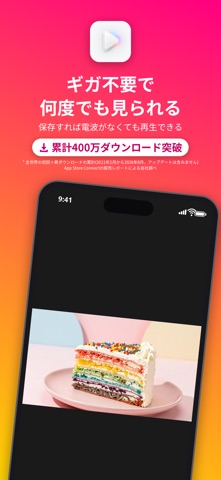


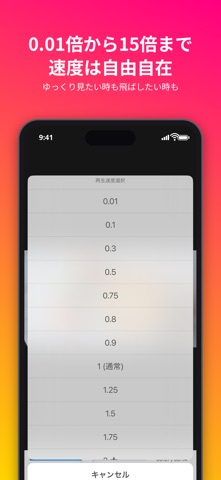
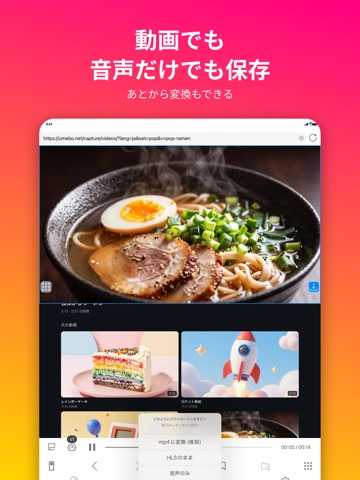
iPad screenshots



Icon palette
About this app
保存した動画を、音楽のようにバックグラウンドで聴ける。広告ブロック付きのブラウザで見つけた動画を、そのまま保存できる動画保存+再生アプリです。 【音楽のように聴く】 ・画面を消しても、ほかのアプリを使っていても再生が続きます(バックグラウンド再生)。 ・音声だけで保存すれば、容量を抑えてたくさんの曲を持ち歩けます。 ・1つだけリピート、フォルダ内を連続でリピート、ランダム再生、最後で停止など、再生のしかたを選べます。 ・好きな曲をフォルダ(バインダー)に集めて、自分で並べた順に再生できます。 ・ロック画面やコントロールセンターから再生・一時停止できます。左右のボタンは、10秒送り/戻しか前後の動画への切り替えかを設定で選べます。 ・保存した動画はオフラインでいつでも再生でき、通信量を気にせず聴けます。 【抜群の安定性】 ・新しいバージョンをリリースする際は、動画の保存・再生・保存したデータが消えないことなど、決まった項目の自動テストをすべて通してから公開しています。 ・修正はまとめて定期的にリリースし…
App details
What you can learn from 動画保存 / バックグラウンド再生 / iCap
Every shipping app on the App Store has gone through the same decisions you're working through right now: which screenshot goes first, what caption sits over it, which device frame to show, what color the background should be. The 12 screenshots above are 動画保存 / バックグラウンド再生 / iCap's answers to those questions — they're public, they're real, and they made it through Apple's review.
What the numbers say: 動画保存 / バックグラウンド再生 / iCap runs a mixed light-and-dark set where the background shifts from screenshot to screenshot (first shot #1C1C1C) — each image has to stand on its own, so the captions carry more of the story. The accent colour we picked up, #FC2C64, is the one to reuse for badges, arrows and highlighted words if you borrow this look. Hit Use this style to open the editor with these exact colours and drop your own screenshot in.
Notice the first screenshot in particular. It's the one users see in search results and on the product page, and it's where most apps spend their best caption and tightest design. Look at the proportion of background to phone, where the text sits, what one thing the image is trying to communicate.
Want to see how other Photo & Video apps approach the same problem? Browse more Photo & Video apps in the showcase.
Take what works into your own screenshots
Open LaunchShots and design your App Store & Google Play screenshots — pick a device frame, drop captions, ship in minutes. Free, in your browser.
Open the screenshot editor →Apps with a similar look
Closest background + accent colours among the listings we've analysed — useful when you want to see the same palette handled by a different team.