Chart position — tracked daily by LaunchShots
Screenshot style breakdown
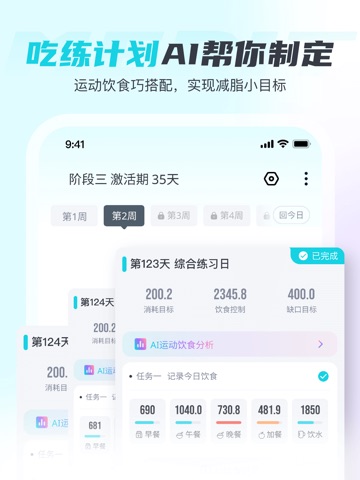
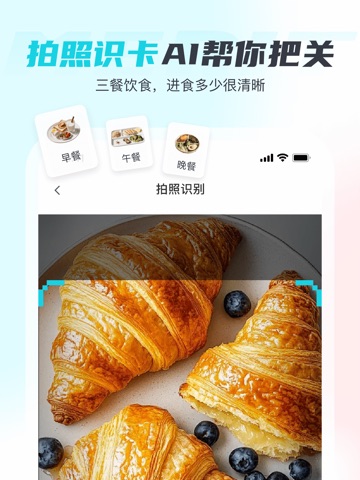
Sampled from 5 of 麦瑞克-Merit超燃脂's App Store screenshots — background, accent and theme, measured by LaunchShots (not something Apple publishes).
#FCFCFC bg
#DDDDDD
#FC9C6C accent
#111111 text
Screenshots
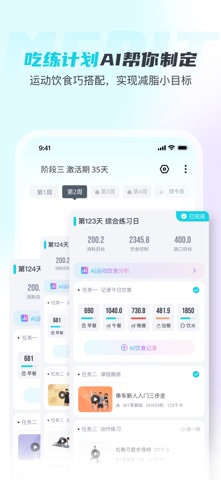
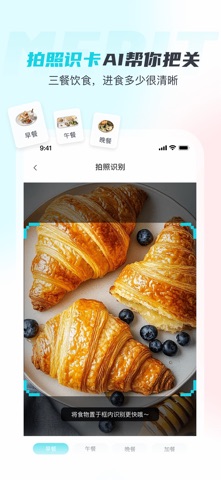
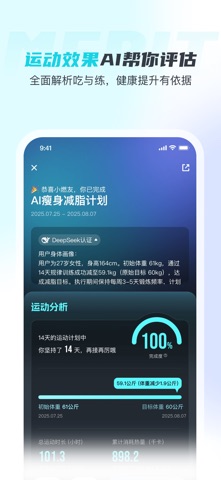
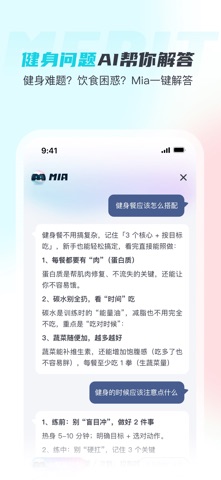

iPad screenshots


Icon palette
About this app
【AI问答】:问你想问!国家级知识库加持,AI问答秒解健身难题,专业度超越私教! 【AI找课】:找你想找!一句话解锁【搜罗】全网【全平台】好课,3秒精准匹配,3000+独家优质课程资源任你选择! 【AI计划】:练你想练!两步生成专属运动计划,有氧无氧黄金配比,增肌塑形好帮手!无器械也能玩了! 【动态调整】:更懂女性的生理期请假模式,累了时也可降低计划难度,让计划赶得上变化! 【AI训练报告】:科学闭环训练计划,训练后生成多维专业报告! 开启AI健身新世界,让每一次汗水都算数! 联系我们: -小助手微信:mairuike888888 -微信公众号:MERACH麦瑞克 -微博:MERACH麦瑞克 -邮箱:meritchaoranzhi@merach.com 【自动续费VIP会员】 1、VIP会员权益:内容特权【直播内容轻松畅享】; 2、订阅周期:1个月(VIP会员连续包月产品),3个月(VIP会员连续包季产品),12个月(VIP会员连续包年产品); 3、订阅价格:详情见APP; 4、付款:用户确认购买并付款后记入iTunes账户; 5、取消续订:如需取消续订,请在当前订阅周期到期前24小时以前,手动在 iTunes/AppleID…
App details
What you can learn from 麦瑞克-Merit超燃脂
Every shipping app on the App Store has gone through the same decisions you're working through right now: which screenshot goes first, what caption sits over it, which device frame to show, what color the background should be. The 10 screenshots above are 麦瑞克-Merit超燃脂's answers to those questions — they're public, they're real, and they made it through Apple's review.
What the numbers say: 麦瑞克-Merit超燃脂 runs a light set with one background colour (#FCFCFC) carried across every screenshot — the listing reads as a single poster when the shots sit side by side in search results. The accent colour we picked up, #FC9C6C, is the one to reuse for badges, arrows and highlighted words if you borrow this look. Hit Use this style to open the editor with these exact colours and drop your own screenshot in.
Notice the first screenshot in particular. It's the one users see in search results and on the product page, and it's where most apps spend their best caption and tightest design. Look at the proportion of background to phone, where the text sits, what one thing the image is trying to communicate.
Want to see how other Health & Fitness apps approach the same problem? Browse more Health & Fitness apps in the showcase.
Take what works into your own screenshots
Open LaunchShots and design your App Store & Google Play screenshots — pick a device frame, drop captions, ship in minutes. Free, in your browser.
Open the screenshot editor →Apps with a similar look
Closest background + accent colours among the listings we've analysed — useful when you want to see the same palette handled by a different team.