Chart position — tracked daily by LaunchShots
Screenshot style breakdown
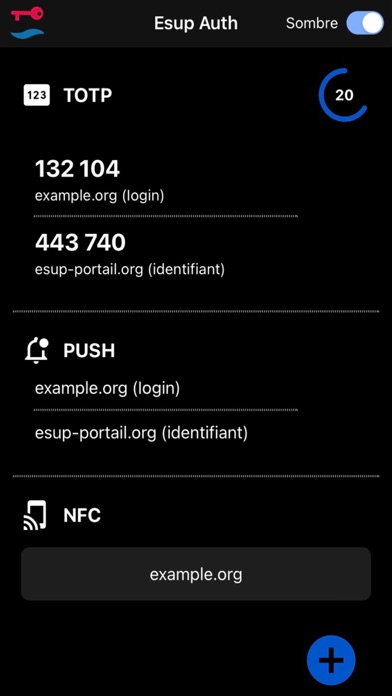
Sampled from 6 of Esup Auth's App Store screenshots — background, accent and theme, measured by LaunchShots (not something Apple publishes).
#040404 bg
#272727
#0454CC accent
#FFFFFF text
- #12 Esup Auth Sombre @ Tor | | PUSH | | nec
- #3132104 example.org (login)
- #4Pas de SM F c \ Mardi 7 mars
- #5TOTP (2s ) 233928 example.org (login)
- #6TO 201233 example.org (login)
Captions read from the screenshots (OCR, may contain small errors): 5 headlines, 6.8 words on average (longest 12).
Screenshots




iPad screenshots


Icon palette
About this app
Bienvenue sur Esup Auth, l'application mobile sécurisée pour gérer facilement vos identifiants d'authentification dans votre établissement d'enseignement supérieur et de recherche. Esup Auth offre une expérience utilisateur simple et efficace pour renforcer la sécurité de vos comptes en ligne. Fonctionnalités clés : 1. Authentification à Deux Facteurs (2FA) Simplifiée : - Protégez vos comptes avec une couche de sécurité supplémentaire en activant l'authentification à deux facteurs. - Scannez simplement le code QR généré par le service en ligne pour configurer votre compte en toute simplicité. 2. Gestion Intuitive des Codes 2FA : - Organisez et visualisez tous vos codes d'authentification à deux facteurs à partir d'une interface conviviale. - Accédez rapidement aux codes, même en mode hors ligne, pour une expérience fluide. 3. Sécurité et Confidentialité : - Esup Auth …
App details
What you can learn from Esup Auth
Every shipping app on the App Store has gone through the same decisions you're working through right now: which screenshot goes first, what caption sits over it, which device frame to show, what color the background should be. The 12 screenshots above are Esup Auth's answers to those questions — they're public, they're real, and they made it through Apple's review.
What the numbers say: Esup Auth runs a dark set with one background colour (#040404) carried across every screenshot — the listing reads as a single poster when the shots sit side by side in search results. The accent colour we picked up, #0454CC, is the one to reuse for badges, arrows and highlighted words if you borrow this look. Hit Use this style to open the editor with these exact colours and drop your own screenshot in.
Notice the first screenshot in particular. It's the one users see in search results and on the product page, and it's where most apps spend their best caption and tightest design. Look at the proportion of background to phone, where the text sits, what one thing the image is trying to communicate.
Want to see how other Productivity apps approach the same problem? Browse more Productivity apps in the showcase.
Take what works into your own screenshots
Open LaunchShots and design your App Store & Google Play screenshots — pick a device frame, drop captions, ship in minutes. Free, in your browser.
Open the screenshot editor →Apps with a similar look
Closest background + accent colours among the listings we've analysed — useful when you want to see the same palette handled by a different team.