Chart position — tracked daily by LaunchShots
Screenshot style breakdown
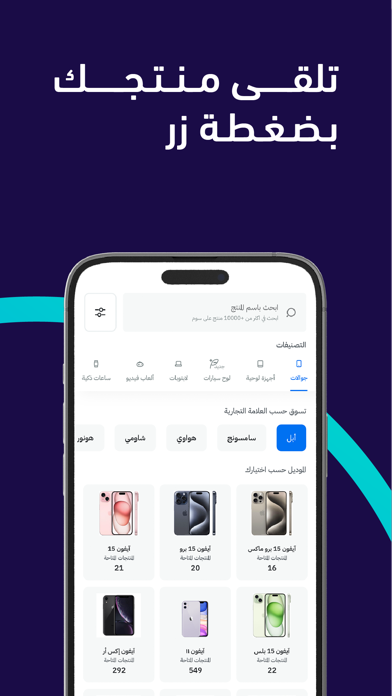
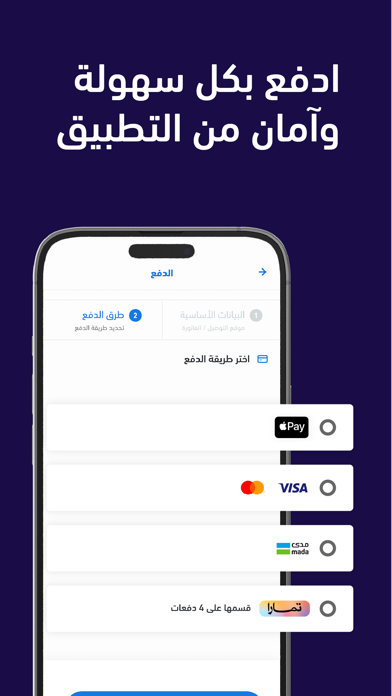
Sampled from 6 of Soum | سـوم's App Store screenshots — background, accent and theme, measured by LaunchShots (not something Apple publishes).
#1C0C44 bg
#3B2E5E
#544474 accent
#FFFFFF text
Screenshots




Icon palette
About this app
استمتع بتجربة التسوق على سوم، التطبيق الاول للشراء والبيع بثقة وأمان وسهولة. احصل على ماتحتاجه من العديد من البائعين الموثوقين بشكل مباشر او على السوم، او اعرض منتجاتك للبيع على ملايين العملاء في منطقة الشرق الأوسط وشمال أفريقيا. سوم هي منصة الكترونية تمكن المستخدمين من البيع والشراء من والى باب البيت بشكل بسيط وآمن. نضمن مطابقة المنتج للمواصفات المعروضة، واذا وجد اي اختلاف يمكنك استرجاع اموالك. كل ماتحتاجه، الى باب بيتك: سوم تغطي كل احتياجاتك، سواء كنت ترغب بشراء منتج جديد أو مستعمل، يمكنك الاختيار من بين مجموعة واسعة من المنتجات المعروضة من قبل بائعينا وتتبع التوصيل الى باب منزلك من أي مكان وفي أي وقت. اشتري ما تريد بالقيمة التي تحددها: ابحث عن منتجات محددة تم عرضها على السوم، ضع سومتك وحدد السعر الذي ترغب به، او اكسر السوم واضمن الجهاز. اعرض منتجاتك بسعر السوق اعرض منتجاتك بسعر السوق: جرب أداة التقييم في سوم لتقييم منتجك ومعرفة سعر السوق في أي وقت. حدد السعر لتعرف كم المدة التي ي…
App details
What you can learn from Soum | سـوم
Every shipping app on the App Store has gone through the same decisions you're working through right now: which screenshot goes first, what caption sits over it, which device frame to show, what color the background should be. The 7 screenshots above are Soum | سـوم's answers to those questions — they're public, they're real, and they made it through Apple's review.
What the numbers say: Soum | سـوم runs a dark set with one background colour (#1C0C44) carried across every screenshot — the listing reads as a single poster when the shots sit side by side in search results. The accent colour we picked up, #544474, is the one to reuse for badges, arrows and highlighted words if you borrow this look. Hit Use this style to open the editor with these exact colours and drop your own screenshot in.
Notice the first screenshot in particular. It's the one users see in search results and on the product page, and it's where most apps spend their best caption and tightest design. Look at the proportion of background to phone, where the text sits, what one thing the image is trying to communicate.
Want to see how other Shopping apps approach the same problem? Browse more Shopping apps in the showcase.
Take what works into your own screenshots
Open LaunchShots and design your App Store & Google Play screenshots — pick a device frame, drop captions, ship in minutes. Free, in your browser.
Open the screenshot editor →Apps with a similar look
Closest background + accent colours among the listings we've analysed — useful when you want to see the same palette handled by a different team.