Screenshots


iPad screenshots


Icon palette
About this app
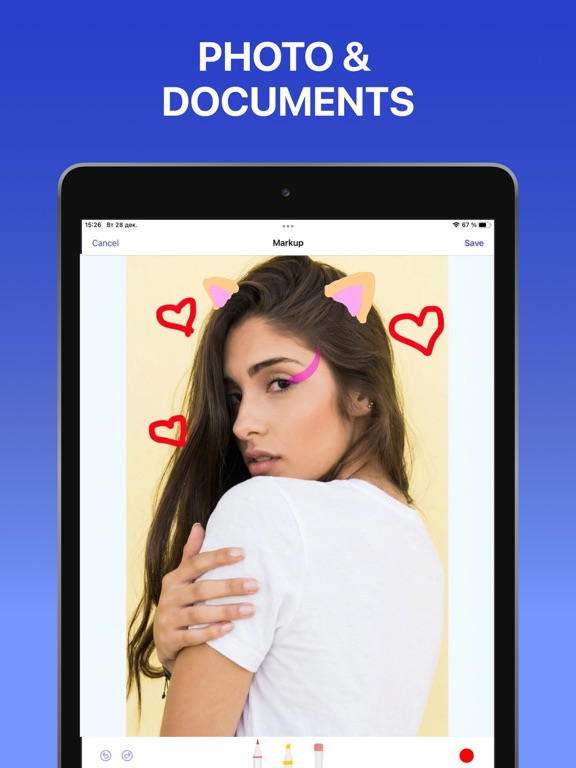
Printing has never been so effortless. With more than 10,000 supported wireless printers, Printer App lets you print documents and photos in a matter of seconds. Simply select a document or photo, edit it with a handy set of built-in tools, and send it for printing. Printer App key features include: PRINTING FROM IOS DEVICES - Print photos and documents - Print web pages & contacts - Print directly from your Dropbox or Google Drive - Over 20 supported file formats, including: PDF, DOCX, PAGES, and TXT SCAN DOCUMENTS - Scan documents with the built-in scanner - Share or print scanned documents ADVANCED PRINTING OPTIONS - Page orientation - One and two-sided printing - Number of pages per sheet - Printing in black and white or color - Paper size (A3, A4, B5, etc.) - Number of copies - Printing range EXTENDED DOCUMENT EDITING - Highlight or draw on documents - Add text to documents …
App details
What you can learn from Drucker App für HP, Canon PDF
Every shipping app on the App Store has gone through the same decisions you're working through right now: which screenshot goes first, what caption sits over it, which device frame to show, what color the background should be. The 8 screenshots above are Drucker App für HP, Canon PDF's answers to those questions — they're public, they're real, and they made it through Apple's review.
Notice the first screenshot in particular. It's the one users see in search results and on the product page, and it's where most apps spend their best caption and tightest design. Look at the proportion of background to phone, where the text sits, what one thing the image is trying to communicate.
Want to see how other Business apps approach the same problem? Browse more Business apps in the showcase.
Take what works into your own screenshots
Open LaunchShots and design your App Store & Google Play screenshots — pick a device frame, drop captions, ship in minutes. Free, in your browser.
Open the screenshot editor →