Chart position — tracked daily by LaunchShots
Screenshot style breakdown
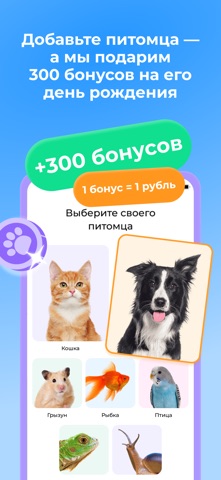
Sampled from 6 of Зоозавр: зоомагазин, ветаптека's App Store screenshots — background, accent and theme, measured by LaunchShots (not something Apple publishes).
#FCFCFC bg
#DDDDDD
#3CA4FC accent
#111111 text
Screenshots




Icon palette
About this app
Зоомагазин и ветеринарная аптека в вашем смартфоне! Покупайте зоотовары быстро и легко с приложением «Зоозавр». Заказывайте всё, что нужно для любимого питомца, доставка зоотоваров - тогда, когда удобно вам! Выбирайте товары для животных из огромного ассортимента: корм для кошек и собак, товары для птиц и грызунов, миски, ошейники и лежаки, домики и игрушки для кошек, товары для груминга и ухода, пелёнки и наполнители для туалета, витамины, ветаптека, лакомства, корм для рыб и всё для аквариума. Здесь более 13 000 товаров, чтобы ваш питомец был счастлив! Что умеет приложение: • Магазин для животных «Зоозавр» — это круглосуточный зоомагазин и ветаптека в вашем смартфоне, который всегда под рукой. Выбирайте и заказывайте товары в любое удобное для вас время. • Мы сделали удобный поиск по категориям (легко найти Роял Канин) и фильтрам и добавили отзывы на товары, чтобы вам было проще …
App details
What you can learn from Зоозавр: зоомагазин, ветаптека
Every shipping app on the App Store has gone through the same decisions you're working through right now: which screenshot goes first, what caption sits over it, which device frame to show, what color the background should be. The 6 screenshots above are Зоозавр: зоомагазин, ветаптека's answers to those questions — they're public, they're real, and they made it through Apple's review.
What the numbers say: Зоозавр: зоомагазин, ветаптека runs a light set where the background shifts from screenshot to screenshot (first shot #FCFCFC) — each image has to stand on its own, so the captions carry more of the story. The accent colour we picked up, #3CA4FC, is the one to reuse for badges, arrows and highlighted words if you borrow this look. Hit Use this style to open the editor with these exact colours and drop your own screenshot in.
Notice the first screenshot in particular. It's the one users see in search results and on the product page, and it's where most apps spend their best caption and tightest design. Look at the proportion of background to phone, where the text sits, what one thing the image is trying to communicate.
Want to see how other Shopping apps approach the same problem? Browse more Shopping apps in the showcase.
Take what works into your own screenshots
Open LaunchShots and design your App Store & Google Play screenshots — pick a device frame, drop captions, ship in minutes. Free, in your browser.
Open the screenshot editor →Apps with a similar look
Closest background + accent colours among the listings we've analysed — useful when you want to see the same palette handled by a different team.