Chart position — tracked daily by LaunchShots
Screenshot changes — detected by LaunchShots
Screenshot style breakdown
Sampled from 5 of 気圧計 Torr - 高度計・気圧予報で頭痛・気象病対策も's App Store screenshots — background, accent and theme, measured by LaunchShots (not something Apple publishes).
#5494FC bg
#4982DD
#245C94 accent
#111111 text
Screenshots


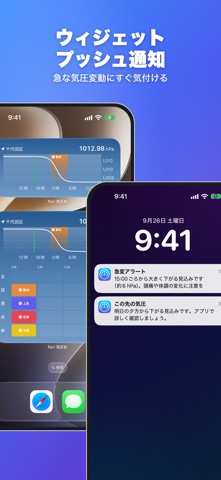


iPad screenshots
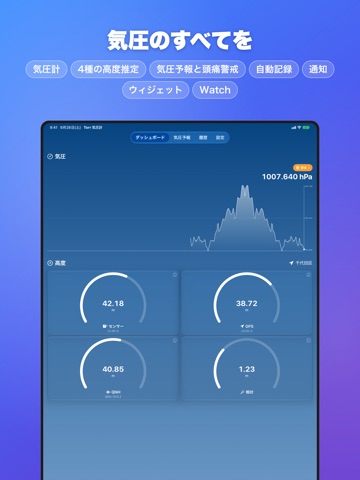
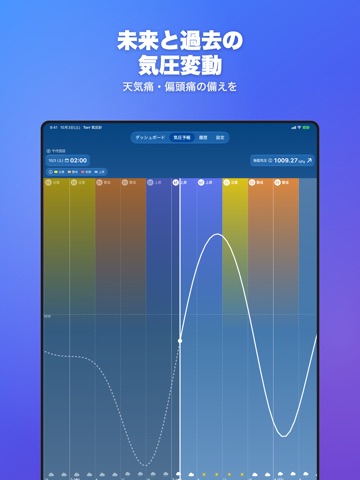
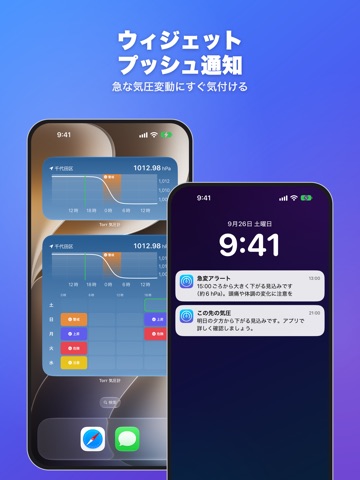


Icon palette
About this app
【Torr トール】は気圧と高度のリアル計測、10日間予報と頭痛警戒情報、履歴閲覧・ファイル出力が全て無料の気圧計アプリです! 登山愛好家やアウトドアな方にも安心してお使いいただける高精細なリアルタイム計測データを表示するダッシュボード機能を提供します。 端末に搭載された気圧センサーやモーションセンサー、GPSによってセンシングされた情報を表示するためオフラインでもご利用いただけます。 リアルタイムに推移するグラフも搭載しているため、台風接近時や急な悪天候、階段・エレベーターの昇降時、坂道のドライブといった短期間における変化を眺めるのも良いでしょう。 高度計はセンサー、GPS、QNH(海面更正気圧)の3つのソースに加え、登山口などの既知の標高に合わせてキャリブレーション(校正)した値を同時に確認できます。 それぞれの高度がアーチゲージで視覚的に表示され、各ソースの特徴や精度もタップで確認いただけます。 気圧と高度はさまざまな単位にも対応しているため、研究者や学術機関などのプロフェッショナルな用途にもお使いい…
App details
What you can learn from 気圧計 Torr - 高度計・気圧予報で頭痛・気象病対策も
Every shipping app on the App Store has gone through the same decisions you're working through right now: which screenshot goes first, what caption sits over it, which device frame to show, what color the background should be. The 10 screenshots above are 気圧計 Torr - 高度計・気圧予報で頭痛・気象病対策も's answers to those questions — they're public, they're real, and they made it through Apple's review.
What the numbers say: 気圧計 Torr - 高度計・気圧予報で頭痛・気象病対策も runs a mixed light-and-dark set where the background shifts from screenshot to screenshot (first shot #5494FC) — each image has to stand on its own, so the captions carry more of the story. The accent colour we picked up, #245C94, is the one to reuse for badges, arrows and highlighted words if you borrow this look. Hit Use this style to open the editor with these exact colours and drop your own screenshot in.
Notice the first screenshot in particular. It's the one users see in search results and on the product page, and it's where most apps spend their best caption and tightest design. Look at the proportion of background to phone, where the text sits, what one thing the image is trying to communicate.
Want to see how other Weather apps approach the same problem? Browse more Weather apps in the showcase.
Take what works into your own screenshots
Open LaunchShots and design your App Store & Google Play screenshots — pick a device frame, drop captions, ship in minutes. Free, in your browser.
Open the screenshot editor →Apps with a similar look
Closest background + accent colours among the listings we've analysed — useful when you want to see the same palette handled by a different team.