Chart position — tracked daily by LaunchShots
Screenshot changes — detected by LaunchShots
Screenshot style breakdown
Sampled from 6 of ThemeMe・Widgets & Hintergründe's App Store screenshots — background, accent and theme, measured by LaunchShots (not something Apple publishes).
#2C0C34 bg
#492E50
#74441C accent
#FFFFFF text
Reading the caption text from the screenshots in your browser…
Screenshots




Icon palette
About this app
Mach dein Telefon ästhetisch mit ThemeMe! Nutze deinen Home- und Sperrbildschirm, um dich auszudrücken oder eine unglaubliche Reise in andere Welten zu unternehmen. Entfessle deine Kreativität mit ThemeMe! Welchen Stil magst du am liebsten: futuristische Städte oder atemberaubende Landschaften? Möchtest du minimalistische Animationen oder überirdische Ausblicke? Oder möchtest du vielleicht einen speziellen Batteriestil hinzufügen? Wende einen einzelnen Stil oder eine Farbe mit nur einem Tipp auf alle deine Icons, Wallpaper und Widgets an oder mische und kombiniere verschiedene Elemente, um deine eigene einzigartige Ästhetik zu entwickeln. Unterstütze originale Kreationen, die speziell für unsere App entworfen wurden. Lass dein Telefon noch personalisierter aussehen, während du es benutzt oder gerade auflädst. Die wunderschöne ThemeMe-Galerie wartet auf dich! HAUPTMERKMALE ■ Vollstä…
App details
What you can learn from ThemeMe・Widgets & Hintergründe
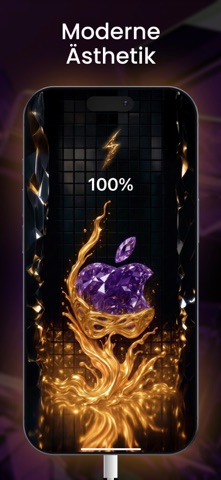
Every shipping app on the App Store has gone through the same decisions you're working through right now: which screenshot goes first, what caption sits over it, which device frame to show, what color the background should be. The 7 screenshots above are ThemeMe・Widgets & Hintergründe's answers to those questions — they're public, they're real, and they made it through Apple's review.
What the numbers say: ThemeMe・Widgets & Hintergründe runs a dark set where the background shifts from screenshot to screenshot (first shot #2C0C34) — each image has to stand on its own, so the captions carry more of the story. The accent colour we picked up, #74441C, is the one to reuse for badges, arrows and highlighted words if you borrow this look. Hit Use this style to open the editor with these exact colours and drop your own screenshot in.
Notice the first screenshot in particular. It's the one users see in search results and on the product page, and it's where most apps spend their best caption and tightest design. Look at the proportion of background to phone, where the text sits, what one thing the image is trying to communicate.
Want to see how other Graphics & Design apps approach the same problem? Browse more Graphics & Design apps in the showcase.
Take what works into your own screenshots
Open LaunchShots and design your App Store & Google Play screenshots — pick a device frame, drop captions, ship in minutes. Free, in your browser.
Open the screenshot editor →Apps with a similar look
Closest background + accent colours among the listings we've analysed — useful when you want to see the same palette handled by a different team.