Chart position — tracked daily by LaunchShots
Screenshot changes — detected by LaunchShots
Screenshot style breakdown
Sampled from 6 of Kapi相机's App Store screenshots — background, accent and theme, measured by LaunchShots (not something Apple publishes).
#141414 bg
#343434
#CCAC84 accent
#FFFFFF text
Screenshots
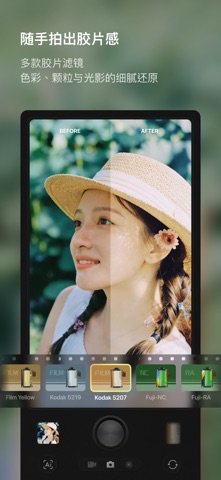

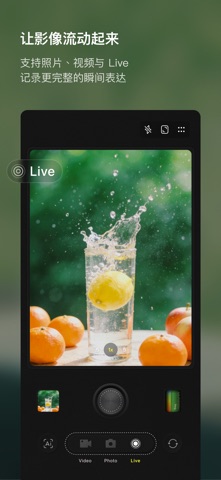

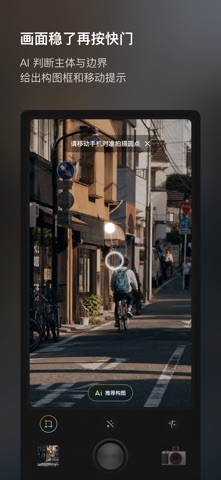

Icon palette
About this app
「Kapi相机」是一款让您能拍摄DV、CCD、胶片的应用。您可以用它来记录生活中的美好时刻,享受复古风格的画面质感和氛围感。 • 模拟真实的DV和CCD效果, 让您一秒回到千禧年。 • 握供多种复古风格的滤镜和特效,让您随心所欲地创造不同的视觉效果。 • 支持效果实时预览,让您轻松拍摄自己喜欢的影像。 • 简单易用的操作界面,创作信手拈来。 「Kapi相机」由一个专注于影像模拟技术的小团队精心制作。我们致力于为用户提供真实、优质、有趣的复古效果。未来我们还会推出更多的DV、CCD、胶片效果,帮助您用低成本实现心中所想! 如果您喜欢复古风格,如果您想要拍出不一样的视频和照片,就快点击下载「Kapi相机」吧! ---------------------- 使用条款: https://www.apple.com/legal/internet-services/itunes/dev/stdeula/
App details
What you can learn from Kapi相机
Every shipping app on the App Store has gone through the same decisions you're working through right now: which screenshot goes first, what caption sits over it, which device frame to show, what color the background should be. The 6 screenshots above are Kapi相机's answers to those questions — they're public, they're real, and they made it through Apple's review.
What the numbers say: Kapi相机 runs a dark set where the background shifts from screenshot to screenshot (first shot #141414) — each image has to stand on its own, so the captions carry more of the story. The accent colour we picked up, #CCAC84, is the one to reuse for badges, arrows and highlighted words if you borrow this look. Hit Use this style to open the editor with these exact colours and drop your own screenshot in.
Notice the first screenshot in particular. It's the one users see in search results and on the product page, and it's where most apps spend their best caption and tightest design. Look at the proportion of background to phone, where the text sits, what one thing the image is trying to communicate.
Want to see how other Photo & Video apps approach the same problem? Browse more Photo & Video apps in the showcase.
Take what works into your own screenshots
Open LaunchShots and design your App Store & Google Play screenshots — pick a device frame, drop captions, ship in minutes. Free, in your browser.
Open the screenshot editor →Apps with a similar look
Closest background + accent colours among the listings we've analysed — useful when you want to see the same palette handled by a different team.