Chart position — tracked daily by LaunchShots
Screenshot style breakdown
Sampled from 6 of 快制图表 - 全图表&看板制作器's App Store screenshots — background, accent and theme, measured by LaunchShots (not something Apple publishes).
#7CDCFC bg
#6DC1DD
#FC646C accent
#111111 text
Screenshots


iPad screenshots




Icon palette
About this app
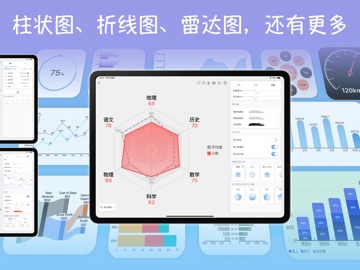
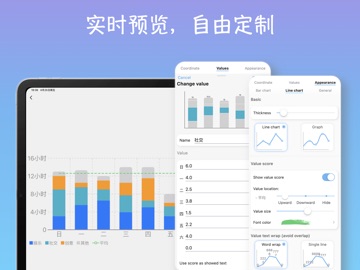
数据可视化神器-图表&大盘制作器 告别电脑!只用手机,就能轻松创建精美图表和数据看板。快制图表是一款一体化工具,让专业数据可视化变得简单易上手。 无论您是想快速为报告做个图表,还是打造一个全面追踪目标的图表报表,我们直观的平台都专为您打造,帮您把原始数据变成直观生动的视觉呈现,清晰又给力! 1. 轻松搞定专业图表 数据讲故事,图表是关键。我们的 App 让创建专业单图变得超简单! 海量图表可选: 十多种图表类型任您挑,饼图、柱状图、折线图、雷达图全都有,还有桑基图、漏斗图等高级选项,总有一款适合您的数据。 深度随心定制: 改颜色、换字体、调标签,轻松匹配您的品牌或风格。“所见即所得”的编辑器,让您的想法完美呈现。 秒出精美图形: 导入数据或手动输入,快图表 瞬间把数字变成可直接用于演示的精美图表。 2. 打造专业仪表盘(也常称作数据大盘Dashboard) 更进一步!把多个图表组合起来,编织成完整的数据全景。仪表盘制作器,就是您讲述完整故事的画布。 拖拽式操作,超简单: 像在屏幕上移动卡片一样,轻松组合图表、文本框、进…
App details
What you can learn from 快制图表 - 全图表&看板制作器
Every shipping app on the App Store has gone through the same decisions you're working through right now: which screenshot goes first, what caption sits over it, which device frame to show, what color the background should be. The 16 screenshots above are 快制图表 - 全图表&看板制作器's answers to those questions — they're public, they're real, and they made it through Apple's review.
What the numbers say: 快制图表 - 全图表&看板制作器 runs a light set where the background shifts from screenshot to screenshot (first shot #7CDCFC) — each image has to stand on its own, so the captions carry more of the story. The accent colour we picked up, #FC646C, is the one to reuse for badges, arrows and highlighted words if you borrow this look. Hit Use this style to open the editor with these exact colours and drop your own screenshot in.
Notice the first screenshot in particular. It's the one users see in search results and on the product page, and it's where most apps spend their best caption and tightest design. Look at the proportion of background to phone, where the text sits, what one thing the image is trying to communicate.
Want to see how other Graphics & Design apps approach the same problem? Browse more Graphics & Design apps in the showcase.
Take what works into your own screenshots
Open LaunchShots and design your App Store & Google Play screenshots — pick a device frame, drop captions, ship in minutes. Free, in your browser.
Open the screenshot editor →Apps with a similar look
Closest background + accent colours among the listings we've analysed — useful when you want to see the same palette handled by a different team.