Screenshot style breakdown
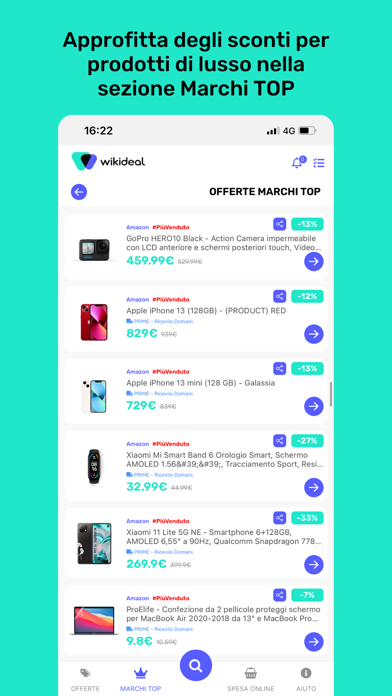
Sampled from 6 of WikiDeal.it's App Store screenshots — background, accent and theme, measured by LaunchShots (not something Apple publishes).
#24E4CC bg
#1FC8B3
#545CFC accent
#111111 text
Screenshots




Icon palette
About this app
WikiDeal è l'app che ti aiuta a trovare le migliori offerte su amazon e nei più famosi negozi online e a non pagare mai più il prezzo pieno. Con milioni di offerte disponibili e migliaia di nuovi sconti ogni giorno, WikiDeal seleziona per te le occasioni più convenienti dai migliori negozi online. RICERCA AI ESCLUSIVA WikiDeal è l'unica app che ti permette di cercare offerte descrivendo semplicemente ciò che desideri. Scrivi ad esempio: - Regalo Festa del Papà - Smartphone sotto 300€ - Scarpe da running leggere La nostra ricerca intelligente troverà automaticamente le offerte più adatte alle tue esigenze. OFFERTE IN TEMPO REALE Scopri migliaia di offerte aggiornate costantemente e confronta i risultati per trovare sempre il prezzo migliore. PREFERITI E AVVISI PREZZO Salva i prodotti che ti interessano e lascia che WikiDeal monitori il prezzo per te. Quando il prezzo scende riceverai…
App details
What you can learn from WikiDeal.it
Every shipping app on the App Store has gone through the same decisions you're working through right now: which screenshot goes first, what caption sits over it, which device frame to show, what color the background should be. The 6 screenshots above are WikiDeal.it's answers to those questions — they're public, they're real, and they made it through Apple's review.
What the numbers say: WikiDeal.it runs a mixed light-and-dark set where the background shifts from screenshot to screenshot (first shot #24E4CC) — each image has to stand on its own, so the captions carry more of the story. The accent colour we picked up, #545CFC, is the one to reuse for badges, arrows and highlighted words if you borrow this look. Hit Use this style to open the editor with these exact colours and drop your own screenshot in.
Notice the first screenshot in particular. It's the one users see in search results and on the product page, and it's where most apps spend their best caption and tightest design. Look at the proportion of background to phone, where the text sits, what one thing the image is trying to communicate.
Want to see how other Shopping apps approach the same problem? Browse more Shopping apps in the showcase.
Take what works into your own screenshots
Open LaunchShots and design your App Store & Google Play screenshots — pick a device frame, drop captions, ship in minutes. Free, in your browser.
Open the screenshot editor →Apps with a similar look
Closest background + accent colours among the listings we've analysed — useful when you want to see the same palette handled by a different team.